Best AI Video Generators in 2026: Kling AI vs Higgsfield vs Runway
AI video generation has reached a new level in 2026. Creating realistic animations, cinematic scenes, product advertisements, and social media videos no longer requires a professional camera or an expensive production setup. With the right AI video generator, you can turn text prompts, images, and reference footage into moving scenes.
But with so many AI video tools available, choosing the right one isn't easy.
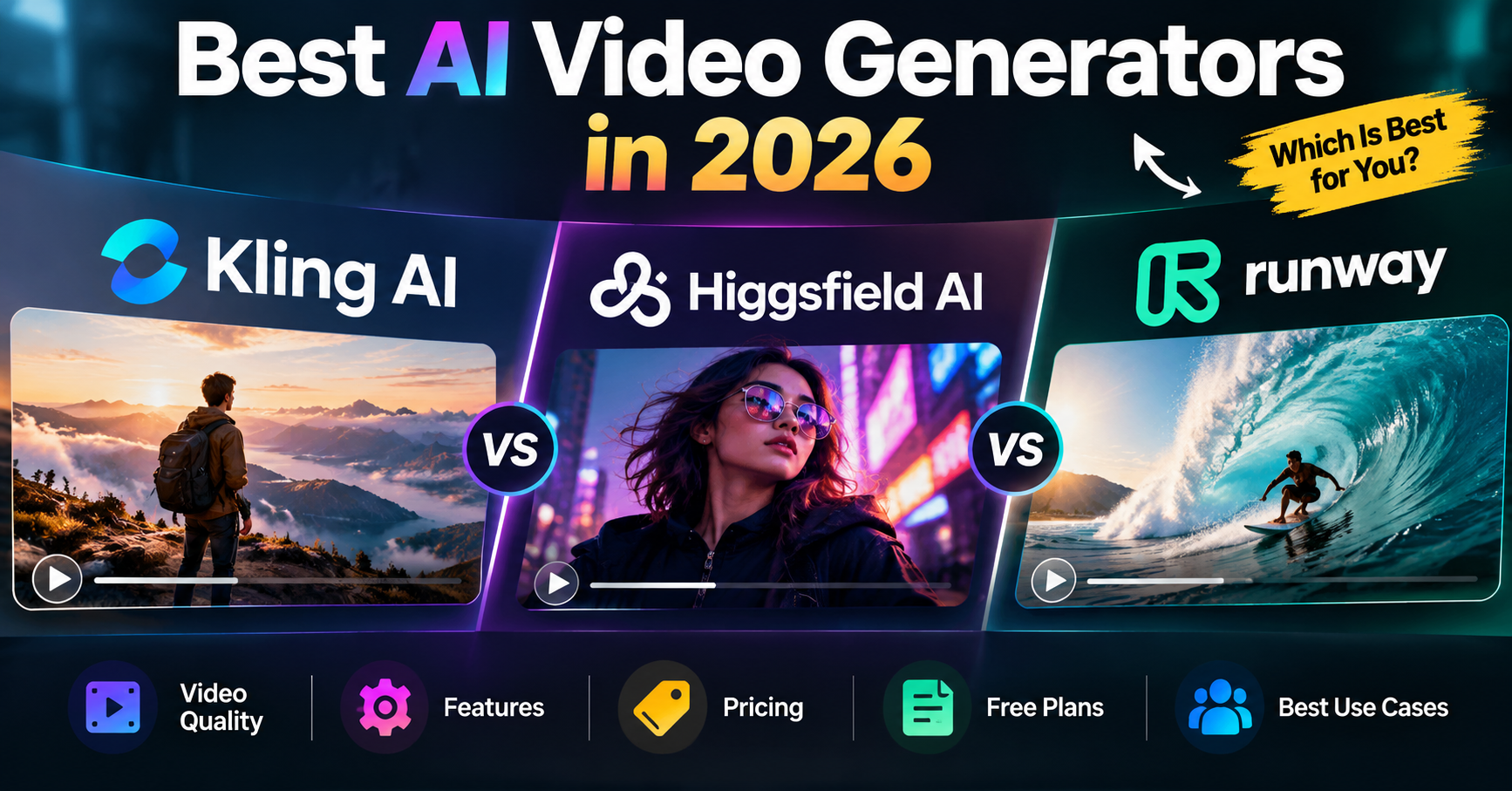
Three leading options are Kling AI, Higgsfield AI, and Runway. Each approaches video creation differently.
Kling AI focuses on advanced video generation, motion control, and detailed visual references.
Higgsfield AI combines multiple AI models with cinematic camera controls, creative tools, and advertising workflows.
Runway offers video generation alongside powerful AI editing, character animation, and post-production features.
So, which is the best AI video generator in 2026?
Kling AI is an attractive choice for direct video generation and motion control. Higgsfield stands out for cinematic filmmaking and multi-model workflows. Runway is particularly useful for creators who need to generate, transform, and refine footage.
This guide compares their latest models, video quality, features, pricing, free plans, commercial-use rights, and practical applications.
Updated October 27, 2026. Product specifications and pricing are based on official documentation. Recommendations reflect documented capabilities and workflow suitability, not independent hands-on benchmark testing.
Kling AI vs Higgsfield vs Runway: Quick Comparison
Category | Best choice | Why |
|---|---|---|
Direct AI video generation | Kling AI | Dedicated generation tools and advanced motion references |
Cinematic filmmaking | Higgsfield | Camera, lens, lighting, and creative direction controls |
AI video editing | Runway | Edit Studio, Aleph 2.0, and post-production tools |
Longer individual clips | Kling AI / Higgsfield | Up to 30 seconds in their featured workflows |
Character performance animation | Runway | Act-Two performance capture |
Multiple AI models | Higgsfield / Runway | Access to models from different providers |
AI advertising workflows | Higgsfield | Marketing Studio and reusable creative assets |
High-resolution generation | Kling AI | Supports up to 4K with Kling 4.0 |
Lowest listed paid entry price | Kling AI | Promotional Standard plan starts at $6.99 |
Editing existing video footage | Runway | Dedicated footage transformation tools |
These recommendations are not absolute quality rankings. The best platform depends on the model, subscription, desired output, and production workflow.
AI Video Models vs AI Video Platforms: An Important Difference
Before comparing the tools, it's important to understand that an AI video model and an AI video platform are not always the same thing.
An AI video model generates or transforms footage. A platform provides access to models and adds features such as editing, asset management, camera controls, and billing.
Kling develops its own video models, including Kling 4.0. However, Kling models are also accessible through other platforms. For example, Higgsfield added Kling 4.0 on October 21, 2026, and Runway also lists Kling 4.0 among its available models.
That means two platforms can offer the same underlying generation model at different prices, with different controls and surrounding tools.
The practical question isn't always which model makes the best video. It's which platform gives you the most useful workflow for your budget.
Sources: Higgsfield model changelog and Runway's official pricing and model catalog.
1. Kling AI: Best for Direct Video Generation and Motion Control
Kling AI, developed by Kuaishou, is an AI video and image generation platform that lets users create videos from text, images, and reference materials.
Its capabilities make it relevant for creators producing animated stories, action sequences, product videos, cinematic scenes, and promotional content.
What's New in Kling 4.0?
Kling officially launched Kling 4.0 on October 15, 2026, expanding its video generation and editing capabilities.
According to the official Kling 4.0 user guide, the model supports:
3–30-second video generation: Longer single-generation scenes than Kling 3.0's 15-second limit.
Up to 10 keyframes: Define important visual moments at different positions in a video.
Up to 15 combined reference assets: Use images, videos, voice references, and reusable elements.
720p, 1080p, and 4K output: Choose resolution according to the intended use and available access.
10-bit HDR support: Available in documented 1080p and 4K modes.
Multiple aspect ratios: Including 16:9, 9:16, 1:1, and 21:9.
Stereo audio: Generate audiovisual scenes with supported dialogue and sound.
Multimodal video editing: Modify existing clips using instructions and visual references.
Kling 4.0 also supports multilingual speech and longer prompts of up to 8,000 tokens.
Availability and credit costs can vary by account, resolution, and creation mode.
Why Choose Kling AI?
Advanced motion control
Kling allows creators to guide character actions, camera movements, and important changes throughout a scene.
For example, imagine creating a product advertisement in which a smartphone rotates on a table, the camera moves closer, and the final shot reveals the product's screen.
Kling's keyframe controls can help establish the order of those visual events.
Longer generated scenes
With support for up to 30 seconds per generation, Kling 4.0 gives creators more room for movement, transitions, and storytelling.
However, a longer generation doesn't automatically guarantee better consistency. Characters, objects, and camera positions still need reviewing.
Detailed visual references
Kling's Omni Reference workflow can use multiple assets to guide a scene.
You might provide one image for a character's appearance, another for the environment, and a short reference video for movement.
This is useful when a text description alone cannot communicate the desired visual result.
High-resolution output
Kling 4.0 supports 4K generation in eligible modes. This can be valuable for professional projects requiring greater output detail, although high-resolution generation may consume more credits.
Kling AI Limitations
Advanced models and higher-resolution settings can require substantial credits.
Some capabilities may have account or subscription restrictions.
Multi-character scenes and complex physical interactions can still produce inconsistencies.
Generating a full-length movie generally requires combining multiple scenes.
The cheapest subscription does not necessarily provide economical access to every Kling 4.0 configuration.
Best for: Creators who mainly want Kling's video models, cinematic animation, action sequences, motion control, and reference-driven video generation.
2. Higgsfield AI: Best for Cinematic Filmmaking and Multi-Model Workflows
Higgsfield AI is a creative platform that combines AI video generation with filmmaking controls, visual references, advertising tools, and access to multiple models.
Its distinguishing feature is its focus on how a scene is directed, not simply how it's generated.
What's New in Higgsfield Cinema Studio 4.0?
Released on August 12, 2026, Cinema Studio 4.0 expanded Higgsfield's cinematic creation capabilities.
According to Higgsfield's official Cinema Studio 4.0 announcement, its features include:
Video generation up to 30 seconds.
Up to 50 reference images per generation.
More than 30 camera movement presets.
Four camera types, including Modern, DV Camcorder, 35mm Film, and 8mm Film.
Five lens options.
More than 50 color presets.
Emotion controls for character performances.
Genre, era, lighting, and pacing settings.
Forward and backward video extension.
Up to 1080p generation within Cinema Studio 4.0.
These settings allow creators to develop a specific cinematic style before generating a scene.
Why Choose Higgsfield AI?
Dedicated cinematic camera controls
Higgsfield offers filmmaking controls that go beyond a standard text prompt.
Instead of describing every detail manually, users can select camera movements, lens characteristics, lighting styles, and pacing options.
For example, a luxury watch advertisement could use a slow camera movement, dramatic lighting, and a film-inspired color treatment.
Higgsfield makes these choices accessible through its production interface.
Access to multiple AI models
Higgsfield provides several video-generation models within the same platform, including selected Kling, Seedance, and other third-party models.
This flexibility can be useful when one model works better for a particular type of motion, while another suits a different production requirement.
Actual model access depends on the subscription and current catalog.
Advertising and marketing tools
Higgsfield offers tools such as Marketing Studio and Ads Studio for producing promotional visuals and campaign content.
For a marketing team creating multiple variations of an advertisement, these integrated tools can make it easier to organize a repeatable creative workflow.
Reusable characters and visual elements
Higgsfield includes identity and reference-based tools designed to help creators reuse characters and other assets.
This can be valuable for brands that want a recognizable presenter, product, or visual style across several videos.
Reference systems improve control but cannot guarantee identical results in every generation.
Longer assembled content
Higgsfield also introduced Content Factory on October 22, 2026, with workflows for producing videos from 15 seconds to five minutes, incorporating scripts, scenes, voiceovers, and editing.
This should not be confused with Cinema Studio's 30-second single-generation limit. Content Factory creates longer assembled productions rather than one uninterrupted generated shot.
Source: Higgsfield's official product changelog.
Higgsfield AI Limitations
Pricing and credit allowances can vary between published offers.
Different models have different generation costs and restrictions.
Beginners may find its extensive collection of tools difficult to navigate initially.
Advanced features and model access depend on the subscription.
Multiple-model access doesn't guarantee that every model will perform equally well.
Best for: Filmmakers, advertisers, social media creators, agencies, and businesses that need cinematic direction and access to different AI models.
3. Runway AI: Best for AI Video Editing and Post-Production
Runway combines AI video generation with editing, performance animation, visual effects, and creative production tools.
Rather than concentrating exclusively on generating new footage, Runway also helps users transform existing videos.
Runway Gen-4.5: Features and Specifications
Gen-4.5 is one of Runway's primary video-generation models in 2026.
According to Runway's official Gen-4.5 documentation, it provides:
Text-to-video generation.
Image-to-video generation.
Clips lasting 2–10 seconds.
Native 720p output.
Multiple supported aspect ratios, depending on input mode.
Detailed prompt-based camera direction.
Generation at 12 credits per second.
Gen-4.5 requires the Standard plan or higher.
Although Runway provides 4K upscaling on paid plans, Gen-4.5's native generation resolution is 720p. Upscaling increases output dimensions but does not turn the original generation into native 4K footage.
Why Choose Runway?
AI editing through Edit Studio
Runway's Edit Studio, powered by Aleph 2.0, allows creators to modify existing footage using generative tools.
Examples include:
Replacing a background.
Removing or changing objects.
Changing a product's appearance.
Adding visual effects.
Adjusting lighting or style.
Transforming an existing scene.
Edit Studio supports footage workflows up to 30 seconds, subject to input requirements.
For example, suppose a business has already filmed an advertisement but wants to experiment with a different background. Runway offers a workflow for attempting that change without filming the entire scene again.
Source: Runway Edit Studio documentation.
Character animation with Act-Two
Runway's Act-Two transfers expressions, speech, and movements from a recorded performance to a reference character.
This can be useful for animated presenters, fictional characters, dialogue scenes, and other performance-driven content.
Act-Two supports animations up to 30 seconds, with specific controls depending on whether the reference character is supplied as an image or a video.
Source: Runway Act-Two documentation.
Integrated creative tools
Runway also provides tools for character swapping, background editing, image animation, and other video transformations.
Creators can use these features to build a more complete production workflow instead of relying only on initial video generation.
Access to external models
Runway's model catalog includes selected third-party video models, including Kling.
Therefore, someone choosing Runway may be purchasing access to a broader production platform rather than choosing Gen-4.5 exclusively.
Runway AI Limitations
Gen-4.5 clips are limited to 10 seconds per generation.
Native Gen-4.5 output is 720p.
Editing tools can consume significant credits.
More advanced production features may require higher plans.
Complex projects can still require traditional editing and manual review.
Best for: Video editors, filmmakers, creative agencies, character animation, and creators who need to generate and modify footage in one platform.
Kling AI vs Higgsfield vs Runway: Detailed Feature Comparison
Feature | Kling AI | Higgsfield AI | Runway |
|---|---|---|---|
Main strength | Video generation and motion control | Cinematic production | Generation and editing |
Featured technology | Kling 4.0 | Cinema Studio 4.0 | Gen-4.5 and Aleph 2.0 |
Text-to-video | Yes | Yes | Yes |
Image-to-video | Yes | Yes | Yes |
Maximum featured generation length | 30 seconds | 30 seconds | 10 seconds with Gen-4.5 |
Featured native output resolution | Up to 4K | Up to 1080p | 720p with Gen-4.5 |
Camera controls | Prompts and keyframes | Dedicated cinematic presets | Prompt-based direction |
Character references | Yes | Yes | Yes |
AI video editing | Yes | Yes | Yes |
Performance animation | Reference-based controls | Character and emotion tools | Act-Two |
Multi-model access | Primarily Kling ecosystem | Yes | Yes |
Commercial plans | Yes | Yes | Yes |
Ideal workflow | Generate and direct | Generate and produce | Generate and refine |
Specifications describe the named models and workflows. Individual tools within each platform may support different durations, resolutions, or features.
Which AI Video Generator Has the Best Video Quality?
Video quality is one of the most important factors when selecting an AI video generator. However, it is also one of the hardest to compare fairly.
A video can look impressive in a promotional demonstration but struggle with an unusual camera angle, complex character interaction, or precise product details.
Instead of judging quality only by resolution, consider five factors:
Visual realism: Do subjects, lighting, materials, and environments look believable?
Motion consistency: Do characters and objects move naturally without unexpected changes?
Prompt adherence: Does the generated video follow the requested action and scene?
Character consistency: Do recurring people and objects retain recognizable details?
Editing flexibility: Can mistakes be corrected without rebuilding the entire scene?
Kling AI: Detailed Motion and Longer Sequences
Kling 4.0's documented strengths include reference-guided movement, keyframe control, and longer scenes.
These capabilities make it particularly relevant for action sequences, moving cameras, and animated storytelling.
Higgsfield: Cinematic Style and Direction
Higgsfield's Cinema Studio provides structured filmmaking controls, allowing creators to guide camera movement, lighting, lens characteristics, and character emotions.
Its advantage lies in how creators can shape the intended visual treatment before generation.
Runway: Generation and Refinement
Runway's Gen-4.5 supports detailed scene and motion prompting. Its editing environment adds another advantage: creators can attempt targeted changes to footage after generation.
That can be valuable when only one part of an otherwise useful scene needs adjustment.
Which Is Most Realistic?
There is no independently established overall winner from the specifications alone.
Determining which platform produces the most realistic video would require controlled comparisons using equivalent prompts, references, settings, and multiple generations.
Furthermore, when Higgsfield and Runway provide access to a Kling model, the underlying model may be the same. Differences may instead come from generation settings, available controls, or post-processing.
For buyers, evaluating a specific model and workflow is more useful than assuming one brand always produces better visuals.
Cinematic Effects, Camera Movement, and Creative Control
Camera direction can make the difference between an ordinary AI-generated clip and footage that feels intentionally composed.
Kling 4.0 offers keyframes for defining visual milestones and supports prompt-driven camera movement.
Higgsfield Cinema Studio provides dedicated camera types, lens selections, movement presets, and other filmmaking settings.
Runway supports camera instructions through Gen-4.5 and provides additional footage transformation tools.
Consider a scene showing a car moving through a city at night.
With Kling, you could use visual references and keyframes to guide the car's position and the scene's progression.
With Higgsfield, you could focus on selecting a cinematic camera treatment, lighting style, and pacing.
With Runway, you could generate footage and then use its editing tools to experiment with changes to the environment or visual style.
These are illustrative workflows, not results from a comparative test.
For creators who prefer dedicated filmmaking controls, Higgsfield has a clear usability advantage on paper. For reference-guided storytelling, Kling is particularly relevant. Runway becomes attractive when post-generation editing matters.
Text-to-Video vs Image-to-Video: Which Is Better?
All three platforms support video creation from text and images, but the best starting point depends on what you already have.
Text-to-Video Generation
Text-to-video works by converting a written description into a generated scene.
It's useful for:
Developing new visual concepts.
Creating fictional environments.
Generating scenes without existing reference images.
Experimenting with cinematic ideas.
A useful prompt describes the subject, action, environment, camera, and intended atmosphere.
Image-to-Video Generation
Image-to-video begins with an existing image and generates movement around it.
It can be more appropriate when a subject's appearance matters.
For example, an online store could supply a product photograph and use image-to-video to create a short promotional animation.
The reference can help guide the product's appearance, but the generated result must still be checked for changes to logos, colors, proportions, and other important details.
Practical recommendation: Start with image-to-video when visual identity is important. Choose text-to-video for concept development and scenes without existing assets.
Character Consistency: Kling vs Higgsfield vs Runway
Character consistency matters when the same person or fictional character appears across multiple clips.
AI models can sometimes change facial features, clothing, proportions, or other details between generations.
The three platforms address this through different tools.
Requirement | Relevant feature |
|---|---|
Guide character appearance using reference assets | Kling Omni Reference |
Define important moments throughout a scene | Kling keyframes |
Reuse characters and visual assets | Higgsfield identity and Elements tools |
Direct character emotion | Higgsfield Emotion Wheel |
Transfer a recorded performance | Runway Act-Two |
Modify an existing scene | Runway Edit Studio |
A useful production technique is to prepare a small reference library containing consistent character images, clothing details, and relevant scene assets.
That reduces ambiguity when preparing multiple prompts, although it cannot eliminate generation errors.
Kling AI vs Higgsfield vs Runway Pricing in 2026
Pricing can be more complicated than it initially appears.
All three platforms use credit-based systems, but the credit cost of generating a video depends on the model, duration, resolution, and selected features.
One credit on Kling is not equivalent to one credit on Higgsfield or Runway.
The following prices come from official vendor information available in October 2026. Subscription offers and checkout prices may change.
Kling AI Pricing
Kling's published membership guide lists these plans:
Plan | Published introductory monthly price | Listed monthly renewal | Monthly credits |
|---|---|---|---|
Basic | Free | Free | Limited access |
Standard | $6.99 | $8.80 | 660 |
Pro | $25.99 | $32.56 | 3,000 |
Premier | $64.99 | $80.96 | 8,000 |
Ultra | $127.99 | $159.99 | 26,000 |
The introductory prices are first-subscription promotions, not permanent renewal rates.
These published credit allowances come from Kling's 3.0-era membership guide. They should not be interpreted as fixed prices for Kling 4.0 generations, which can have different costs.
Source: Kling's official pricing and credit guide.
Who should consider Kling's paid plans?
Creators who mainly use Kling models may prefer subscribing directly rather than paying for a wider platform.
However, compare the actual credit requirement for your preferred version, duration, and resolution before deciding.
Higgsfield AI Pricing
Higgsfield's official pricing explanation published on October 24, 2026, lists the following monthly options:
Plan | Published monthly price | Monthly credits |
|---|---|---|
Free | $0 | Limited free use |
Starter | $15 | 200 |
Plus | $49 | 1,000 |
Ultra | $129 | 3,000 |
Source: Higgsfield's official pricing explanation.
However, Higgsfield's separately indexed promotional pricing page also shows other bundles, including Starter at $19 per month billed annually with 270 monthly credits and Plus at $47 per month billed annually with 1,200 credits.
This means the published offers are not completely consistent.
Before subscribing, confirm the actual price, billing period, credits, and model access shown at checkout.
Higgsfield also offers certain unlimited-generation benefits, but these may apply only to specific models, account types, or promotional periods.
They should not be treated as unlimited access to every AI video generator.
Runway AI Pricing
Runway's official pricing page lists these plans:
Plan | Monthly billing | Monthly equivalent, billed annually | Monthly credits |
|---|---|---|---|
Free | $0 | $0 | 125 one-time credits |
Standard | $15 | $12 | 625 |
Pro | $35 | $28 | 2,250 |
Max | $95 | $76 | 9,500 |
Source: Runway's official pricing page.
Runway's free credits are provided once, rather than renewed every month.
The Standard plan includes access to Gen-4.5 and other paid tools, with higher tiers offering larger credit allowances and additional production features.
How Much Does an AI Video Actually Cost?
Comparing subscription prices alone can be misleading.
For example, Runway Gen-4.5 costs 12 credits per second.
That means:
Generated duration | Gen-4.5 credit cost |
|---|---|
5 seconds | 60 credits |
8 seconds | 96 credits |
10 seconds | 120 credits |
Under Runway's published rate, a Standard subscriber with 625 monthly credits could generate ten five-second Gen-4.5 clips before accounting for other credit usage.
But if each usable clip requires several attempts, the effective cost increases.
Higgsfield's published examples also show how resolution affects spending. For Seedance 2.5, its pricing guide lists a five-second 720p clip at 35 credits and a five-second 1080p clip at 80 credits.
These are prices for that specific model, not every Higgsfield video generator.
This leads to an important buying consideration:
The most useful cost measurement is the price of a finished, usable video—not simply the price per generation.
When choosing a plan, consider how many attempts, revisions, and exports your projects normally require.
Which AI Video Generator Offers the Best Value?
Your priority | Platform worth considering |
|---|---|
Lowest published paid entry price | Kling AI |
Mainly using Kling models | Kling AI |
Experimenting with multiple models | Higgsfield or Runway |
Cinematic advertising workflows | Higgsfield |
Generation and AI editing together | Runway |
Frequent revisions of existing footage | Runway |
Complex character and camera references | Kling AI or Higgsfield |
No platform is universally the cheapest because output settings and model prices differ.
Free Plans, Watermarks, and Commercial-Use Rights
Free plans are useful for exploring AI video creation, but their restrictions matter.
Kling AI Commercial Use
Kling's published membership documentation states that Basic-plan generated content is not for commercial use.
Its paid membership documentation permits commercial use of outputs, subject to the platform's terms and restrictions.
Paid plans also include watermark-removal benefits.
Source: Kling membership and credit guide and payment policy.
Higgsfield Commercial Use
Higgsfield's current Terms of Use, updated October 23, 2026, state that Higgsfield does not claim ownership of users' generated outputs or restrict their commercial use.
Its commercial rights help article also says these rights are not restricted to paid subscribers.
However, Higgsfield's October 24 pricing explanation marks its Free plan as unsuitable for commercial use.
Because those two official publications conflict, users planning commercial work from Free-plan outputs should obtain clarification from Higgsfield before publishing.
Paid-plan commercial use is consistently permitted in the reviewed documentation, subject to the applicable terms.
Sources: Higgsfield Terms of Use and pricing explanation.
Runway Commercial Use
Runway states that generated content can be used commercially without a separate non-commercial restriction from the platform, subject to its terms and usage policies.
Its Free plan includes watermarked outputs and limited model access. Paid plans provide watermark-free generation.
Source: Runway's commercial-use policy.
Important Commercial Considerations
Regardless of the platform, commercial permission does not automatically grant rights to copyrighted characters, third-party music, trademarks, private photographs, or another person's likeness.
Businesses and professional creators should check that their reference materials are properly licensed and that the generated output does not make misleading product claims.
Which AI Video Generator Is Best for YouTube, TikTok, Instagram, and Advertising?
The best choice depends on the type of content you create.
Best for YouTube Videos
YouTube videos frequently require storytelling, multiple scenes, narration, and editing.
Kling can be useful for creating animated scenes and cinematic visuals.
Higgsfield offers multi-model production workflows and tools for assembling longer content.
Runway is particularly relevant for creators who need to modify generated or existing footage.
For long-form YouTube videos, none of these tools should be evaluated solely by its maximum single-generation duration.
A complete production may still require a script, voiceover, scene planning, audio mixing, and final editing.
Recommendation: Consider Kling for generating individual scenes, Higgsfield for integrated creative production, and Runway when editing and footage transformation are important.
Best for TikTok and Instagram Reels
Short-form content depends on clear visuals, suitable aspect ratios, and engaging motion.
Kling's reference-guided generation can support animated or action-driven clips.
Higgsfield provides cinematic presets and advertising-oriented creative tools.
Runway offers ways to generate footage and change its appearance for different creative directions.
For vertical videos, confirm that your selected model supports 9:16 generation or an appropriate reframing workflow.
Best for Businesses and Product Advertisements
Higgsfield is particularly interesting for agencies and marketers because it combines video generation with dedicated advertising and reusable asset workflows.
Kling is useful when a business needs to animate product imagery or generate detailed visual sequences.
Runway can be valuable when a company already has video footage and wants to adjust elements without starting every shot from scratch.
For professional product advertisements, visual accuracy is essential. AI-generated footage should be checked carefully for incorrect labels, logos, packaging, dimensions, and product details.
Best for Filmmakers
Higgsfield's Cinema Studio is designed around creative direction, including camera movement, lighting, lens choices, and pacing.
Kling 4.0 offers detailed keyframe and reference controls for planning longer scenes.
Runway provides generation, editing, visual transformation, and character performance tools.
For filmmakers, the most suitable platform depends on whether the main challenge is generating a shot, directing its visual style, or refining existing footage.
Kling AI vs Higgsfield vs Runway: Pros and Cons
Platform | Advantages | Disadvantages |
|---|---|---|
Kling AI | Direct Kling model access, advanced motion control, keyframes, longer scenes, high-resolution options | Credit-intensive settings, variable feature access, consistency challenges |
Higgsfield AI | Cinematic controls, multiple AI models, advertising tools, reusable creative assets | Complicated plan options, varying credit costs, potentially overwhelming interface |
Runway | Integrated editing, Gen-4.5, Act-Two, Aleph 2.0, versatile creative workflows | Short native Gen-4.5 clips, 720p native generation, potentially expensive editing |
How to Choose the Right AI Video Generator
Rather than selecting a platform based only on marketing demonstrations, evaluate it against your actual production needs.
1. Start With Your Main Task
Are you creating a short cinematic clip, a product advertisement, a character animation, or a complete edited video?
Choose the platform whose tools match that task.
2. Check Model Access
A platform may advertise a model that is available only through certain subscriptions or generation modes.
Confirm availability before purchasing.
3. Compare the Cost of Usable Videos
Estimate the credits needed for your desired duration and resolution.
Include additional attempts and editing rather than assuming every generation will be suitable.
4. Test Consistency and Prompt Adherence
When possible, use the same creative brief and reference materials across platforms.
Compare how well each output maintains characters, objects, movements, and the intended composition.
5. Review Commercial Rights and Export Options
For professional use, check licensing, watermark restrictions, available resolutions, export formats, and the platform's terms.
These factors may matter more than a small difference in visual quality.
Frequently Asked Questions
1. What is the best AI video generator in 2026?
Kling AI, Higgsfield, and Runway are strong choices for different workflows. Kling focuses on direct video generation and motion control, Higgsfield provides cinematic and multi-model production tools, and Runway combines generation with AI editing.
2. Is Kling AI better than Runway?
Kling may be preferable for direct access to Kling's latest models, longer single-generation scenes, and advanced references. Runway is particularly suitable for users who also need editing, character animation, and footage transformation.
3. Is Higgsfield better than Kling AI?
Higgsfield offers more model choices and filmmaking-oriented controls in one platform. Kling may be more appropriate for creators who mainly want direct access to Kling models.
4. Which AI video generator creates the most realistic videos?
There is no verified overall winner based solely on official specifications. Realism depends on the model, prompt, references, settings, and the particular scene being generated.
5. Which AI video generator is best for beginners?
Kling is a reasonable starting point for creators primarily interested in generating short videos. Runway is worth considering for beginners who also want editing tools. Higgsfield offers broader creative flexibility but can involve more settings and model choices.
6. Which AI video generator offers the best free plan?
Runway offers 125 one-time free credits for selected tools. Kling provides limited free access, while Higgsfield offers restricted free features. The best option depends on which models you can actually test, as well as watermark and licensing requirements.
7. Can AI video generators create 4K videos?
Kling 4.0 supports eligible native 4K generation. Higgsfield Cinema Studio 4.0 generates up to 1080p, with higher-resolution workflows available elsewhere on the platform. Runway Gen-4.5 generates natively at 720p, while separate upscaling options are available.
8. Which is cheaper: Kling, Higgsfield, or Runway?
Kling has the lowest published promotional paid entry price among the three. However, comparing generation costs requires examining the chosen model, video length, resolution, and number of attempts.
9. Can AI-generated videos be monetized on YouTube?
Yes, AI-generated content can be eligible for YouTube monetization when it meets YouTube's policies.
However, YouTube requires original, authentic content and restricts repetitive or mass-produced content that adds little value. Creators must also follow applicable disclosure rules for realistic altered or synthetic material.
Source: YouTube's official monetization policies.
10. Can Kling, Higgsfield, and Runway create long YouTube videos?
They can contribute to long-form production through generated scenes, editing, and assembly tools.
Kling 4.0 and Higgsfield Cinema Studio 4.0 support individual generations up to 30 seconds, while Runway Gen-4.5 supports up to 10 seconds. Longer completed videos generally involve combining multiple clips and other production elements.
Higgsfield also provides a separate Content Factory workflow for assembled videos lasting up to five minutes.
11. Is Higgsfield worth paying for in 2026?
Higgsfield is worth considering when cinematic direction, access to multiple video models, advertising tools, or reusable characters are important to your projects.
Creators who use only one specific model occasionally should compare its direct pricing with Higgsfield's subscription and credit costs before paying.
Final Verdict: Which AI Video Generator Should You Choose in 2026?
There is no single best AI video generator for everyone.
Choose Kling AI if your main priority is creating videos through Kling's own models, particularly when motion control, reference-guided generation, longer scenes, and high-resolution output matter.
Choose Higgsfield if you need cinematic camera controls, multiple AI models, branded content, reusable creative assets, or an integrated advertising workflow.
Choose Runway if you want to generate videos and then refine them through AI editing, character performance tools, and footage transformation.
For beginners, starting with the platform that best matches a specific project is more practical than purchasing the most expensive plan.
For professional creators, compare the total cost of usable footage, model access, export quality, editing capabilities, and commercial rights.
Ultimately, the best AI video generator in 2026 is the one that helps you create the videos you need with the most control, a manageable budget, and the least unnecessary rework.