What Is Jev AI? Why It Was Created, How It Works, and How to Use It
Artificial intelligence is usually associated with chatbots that answer questions, write content, and generate code. Jev AI takes a different approach: instead of generating text, it makes structured decisions that software can use directly.
Developed by TypeSafe AI, Jev is designed to help applications classify information, evaluate situations, assign scores, and choose between predefined options.
For example, a customer support system could use Jev to determine whether a message belongs to the billing, technical support, or sales department.
Unlike ChatGPT or Claude, Jev does not explain its answer in paragraphs. It provides a structured result, along with probabilities that help software decide what to do next.
Here is what Jev AI is, why it was developed, how its technology works, and how you can start using it.
What Is Jev AI?
Jev AI is a decision-making artificial intelligence model developed by TypeSafe AI. It belongs to a category the company calls System One models, designed to make fast, structured judgments inside software applications.
Traditional AI chatbots generate sentences based on instructions. Jev works differently. You provide information about a situation and ask a specific question. It evaluates the information and returns an answer in a predefined format.
For example, imagine an online store receives this customer message:
"I ordered a laptop five days ago, but it still hasn't arrived. Can you check my delivery?"
A Jev-powered system could examine the message and select shipping from a predefined list of support departments.
It could also assess how urgent the request appears or whether the customer is asking for human assistance.
The important difference is that Jev produces answers designed for software to process, rather than conversations intended for people to read.
Who created Jev AI?
Jev was developed by TypeSafe AI, a company founded by Diogo Almeida, who previously worked on research related to instruction-following language models at OpenAI.
TypeSafe introduced Jev publicly on September 15, 2026, after approximately two years of development.
The company initially released the model through an early-access program.
In its official Jev launch announcement, TypeSafe described its ambition to create AI that behaves more like a dependable component of software rather than a conversational assistant.
What is the latest version of Jev?
As of October 26, 2026, the latest documented stable version is Jev 1.14.0, released on October 14, 2026.
This release introduced improvements alongside experimental features, including image input, image-region detection, and longer-context processing.
TypeSafe also updated its jev-latest model alias to point to version 1.14.0.
The company explains the changes in its Jev 1.14 release announcement.
Why Was Jev AI Created?
Most modern AI models are designed to communicate with humans.
That is useful for writing, brainstorming, answering questions, and programming. However, applications often need something simpler: a reliable way to make repeated decisions.
Consider a business that receives thousands of support messages every day.
Its software might need to determine:
Which department should receive each message?
Does the customer need urgent assistance?
Is the message a complaint, question, or refund request?
Should the system respond automatically or request human review?
A traditional AI model can answer these questions, but its general-purpose text generation is not always the most convenient interface for software automation.
The problem with text-generating AI
Imagine asking an AI chatbot to classify a support ticket.
It might respond:
"The customer appears to have a billing problem, and I recommend transferring the request to the accounts department."
That response makes sense to a human, but an application may only need one value: billing.
Developers can instruct large language models to return structured JSON, and many modern models support structured output. However, there are still questions of latency, cost, confidence, and how the model's judgment fits into application logic.
Jev was created to address this specific need.
TypeSafe AI's approach
Rather than generating an explanation and extracting a decision from it, Jev directly produces structured answers.
TypeSafe developed a training approach called Reinforcement Learning for Calibrated Decisions (RLCD).
Its objective is to encourage useful decisions with meaningful probabilities.
The concept of calibration is important. Ideally, when a model assigns an 80% probability to events across many comparable cases, approximately 80% of those events should actually occur.
Calibration is a measurable property, not a guarantee that every individual prediction will be correct.
TypeSafe's broader goal is to make AI easier to combine with conventional programming, where code controls actions and the model supplies judgments.
Why is it called Jev?
The name refers to William Stanley Jevons, an economist associated with the Jevons paradox.
The paradox describes how improvements in efficiency can sometimes increase total consumption of a resource rather than reduce it.
TypeSafe applies a similar idea to machine intelligence: when AI decisions become faster and less expensive, developers may find many more situations where using AI becomes practical.
How Does Jev AI Work?
Jev's basic workflow is straightforward:
State → Questions → Decisions → Software actions
The model receives information about a situation, evaluates specific questions, and returns structured results.
Step 1: Provide the state
The state is the information Jev needs to examine.
It could be a customer message, product description, business record, document excerpt, or structured JSON object.
For example:
"My subscription payment was deducted twice this month."
This text becomes the input that Jev evaluates.
Step 2: Define the questions
Instead of asking Jev to write an unrestricted explanation, you specify the decisions you need.
For the subscription message, the questions might be:
Which support department should handle this?
How serious is the problem?
Does the customer need immediate assistance?
You also define the permitted answer format for each question.
Step 3: Jev evaluates the questions
Jev evaluates the questions independently against the supplied state.
It supports multiple questions in one API request, processing them in parallel rather than generating a long response one word at a time.
The model returns information such as the selected category, a numerical score, or the probability of a yes/no answer.
Step 4: Your software decides what happens next
Jev does not automatically perform the business action.
Your application reads the result and uses ordinary programming logic to decide what to do.
For example, the application could send billing requests to the payments team or flag uncertain decisions for human review.
This separation is central to Jev's design: the AI supplies a judgment, while the surrounding software remains responsible for the action.
What Types of Questions Can Jev AI Answer?
Jev primarily uses three question types, called primitives.
Question type | What it does | Example |
|---|---|---|
Choice | Selects an option from a predefined list | Should this ticket go to billing, sales, or technical support? |
Score | Rates information against an ordered scale | How serious is this complaint? |
Noul | Returns the probability that a yes/no statement is true | Does this message request a refund? |
1. Choice: Selecting an option
Choice questions work when the possible answers are already known.
An online store could define categories such as electronics, clothing, furniture, and groceries.
Jev then selects one category and returns a probability for each available option.
According to TypeSafe's documentation, a Choice question supports up to 255 options.
2. Score: Rating something on a scale
Score questions are useful when a situation falls somewhere along a spectrum.
For example, a developer could define four urgency levels: routine, moderate, urgent, and critical.
Jev evaluates the situation and returns a numeric position on that ordered scale.
The result can fall between two defined levels. It also includes a probability distribution and a confidence measure.
3. Noul: Answering yes-or-no questions
Noul is TypeSafe's term for a probabilistic yes/no answer.
Rather than returning only true or false, Jev returns a number between 0 and 1.
A value near 1 indicates a strong tendency toward yes, while a value near 0 indicates a strong tendency toward no.
A value near 0.5 reflects uncertainty.
Unlike Choice and Score, Noul does not provide a separate confidence field. Its probability is the primary result.
What about images?
Jev 1.14 also supports experimental image-related capabilities.
These include image inputs and a fourth question type called Box, which identifies a rectangular region in an image.
However, TypeSafe explicitly considers these features experimental and not yet ready for its normal production reliability standards.
Jev does not function as an image generator.
Key Features and Capabilities of Jev AI
1. Structured outputs
Jev's answers follow predefined types.
For supported questions, software receives expected values rather than unpredictable paragraphs of text.
This makes integration with application logic more straightforward.
2. Probabilities and uncertainty
Jev can communicate uncertainty instead of forcing every answer to appear equally certain.
Developers can use these signals to distinguish straightforward decisions from cases needing more information or human review.
Importantly, a high-confidence answer can still be wrong.
3. Parallel question processing
One request can contain several questions about the same input.
For example, a support system can classify a message, assess its urgency, and check whether it needs escalation within one request.
TypeSafe designed Jev to evaluate these questions in parallel.
4. Fast responses
TypeSafe reports response times of approximately 70–500 milliseconds for its initial Jev workloads.
These are company-reported measurements, not a universal latency guarantee. Actual performance depends on the request, network conditions, and service environment.
5. Integration with existing software
Jev exposes an HTTP API and official Python and JavaScript/TypeScript SDKs.
Developers can integrate it with backends, web applications, automated workflows, and AI-agent systems.
What Can You Use Jev AI For?
Jev is most relevant when an application needs to make similar decisions repeatedly.
Customer support automation
A company could use Jev to classify customer requests, identify urgent problems, and determine whether escalation is necessary.
For example, a complaint about a failed payment could be sent to billing, while an account login problem could be directed to technical support.
The system could send ambiguous cases to a human instead of selecting a department automatically.
E-commerce product classification
Online stores may need to organize large product catalogs into predefined categories.
Jev can assess product descriptions and select suitable categories.
A developer can also define questions about whether a product description meets specific content criteria.
This makes Jev potentially useful for catalog management and product-review workflows.
AI agent decision-making
An AI agent often needs to decide what to do next.
Should it call a search tool, ask the user for missing information, retry a failed operation, or escalate a task?
Jev can provide a structured judgment that helps the agent choose its next step.
The generative model can remain responsible for writing explanations or producing final responses.
Content moderation and review
A platform could ask Jev whether a message contains unwanted content, whether a report needs review, or which moderation category applies.
However, these are probabilistic assessments. High-impact moderation actions require testing, appropriate thresholds, and review procedures.
Recruitment and candidate matching
One documented production example comes from the AI recruitment platform Jack & Jill.
According to a TypeSafe-published case study, Jack & Jill replaced Gemini 3.1 Flash Lite with Jev for a candidate-screening stage.
The company reported an 88% reduction in token costs for that workflow and approximately 50% lower median screening time, with similar candidate-selection quality in its evaluation.
These results concern one specific implementation. They should not be interpreted as a guarantee that Jev will deliver identical improvements for every business.
How to Use Jev AI: Step-by-Step Beginner's Guide
You do not need to build a complete application to explore how Jev works.
TypeSafe provides a browser-based Playground, and developers can access the model through its API.
Step 1: Visit the official TypeSafe console
Open the TypeSafe AI console.
You can sign in or create an account using the available registration options, including Google or email.
TypeSafe's public support documentation confirms that new registrations are open without waitlist approval.
Step 2: Open the Playground
After signing in, navigate to the Playground.
This is the browser interface for experimenting with Jev without writing application code.
The Playground is documented in TypeSafe's official getting-started guide. Its actual controls may change as the product develops.
Step 3: Enter the information you want Jev to evaluate
Start with a simple customer message.
For example:
"I have been charged twice for my monthly subscription. Please help me resolve this."
This is your state.
Step 4: Create a question
Begin with a Noul question:
"Does this message report a duplicate payment?"
You are asking Jev to evaluate one clearly defined statement.
Alternatively, use a Choice question to select between predefined departments, such as billing, technical support, and sales.
Step 5: Run the evaluation
Submit the state and question through the Playground.
Inspect the returned answer and its probability.
For a Choice or Score question, examine the confidence value and probability distribution as well.
Avoid assuming a particular result before running the model.
Step 6: Experiment with multiple questions
After understanding your first answer, try asking more questions about the same message.
For example, you could classify the department and separately check whether the customer requests immediate assistance.
This demonstrates how Jev can perform several focused judgments within a single request.
Step 7: Connect Jev to your own application
Developers can use TypeSafe's official API endpoint:
POST https://api.typesafe.ai/v1/systemone
Requests use a Bearer API key and include the state, model, and typed questions.
TypeSafe provides two main SDK options:
Python:
typesafe-sdkJavaScript/TypeScript:
@typesafe-ai/sdk
For Python, the documented installation command is:
pip install typesafe-sdkThe following example uses the verified Python SDK interface. It selects a department for a customer message.
from typesafe_sdk import Choice, TypeSafeClient

ticket = "I was charged twice for my subscription."

with TypeSafeClient(model="jev-latest") as client:
    response = client.system_one(
        state=ticket,
        questions={
            "team": Choice(
                instructions="Which team should handle this ticket?",
                criteria={
                    "billing": "Charges and payment issues",
                    "technical": "Technical problems",
                    "other": "Other customer inquiries",
                },
            )
        },
    )

print(response.answers["team"].choice)
The SDK reads your TYPESAFE_API_KEY environment variable, which you must configure with a valid API key before running the example.
This example follows TypeSafe's documented SDK syntax; its live response has not been independently executed here.
For complete setup instructions and additional language examples, refer to the official Jev Quick Start documentation.
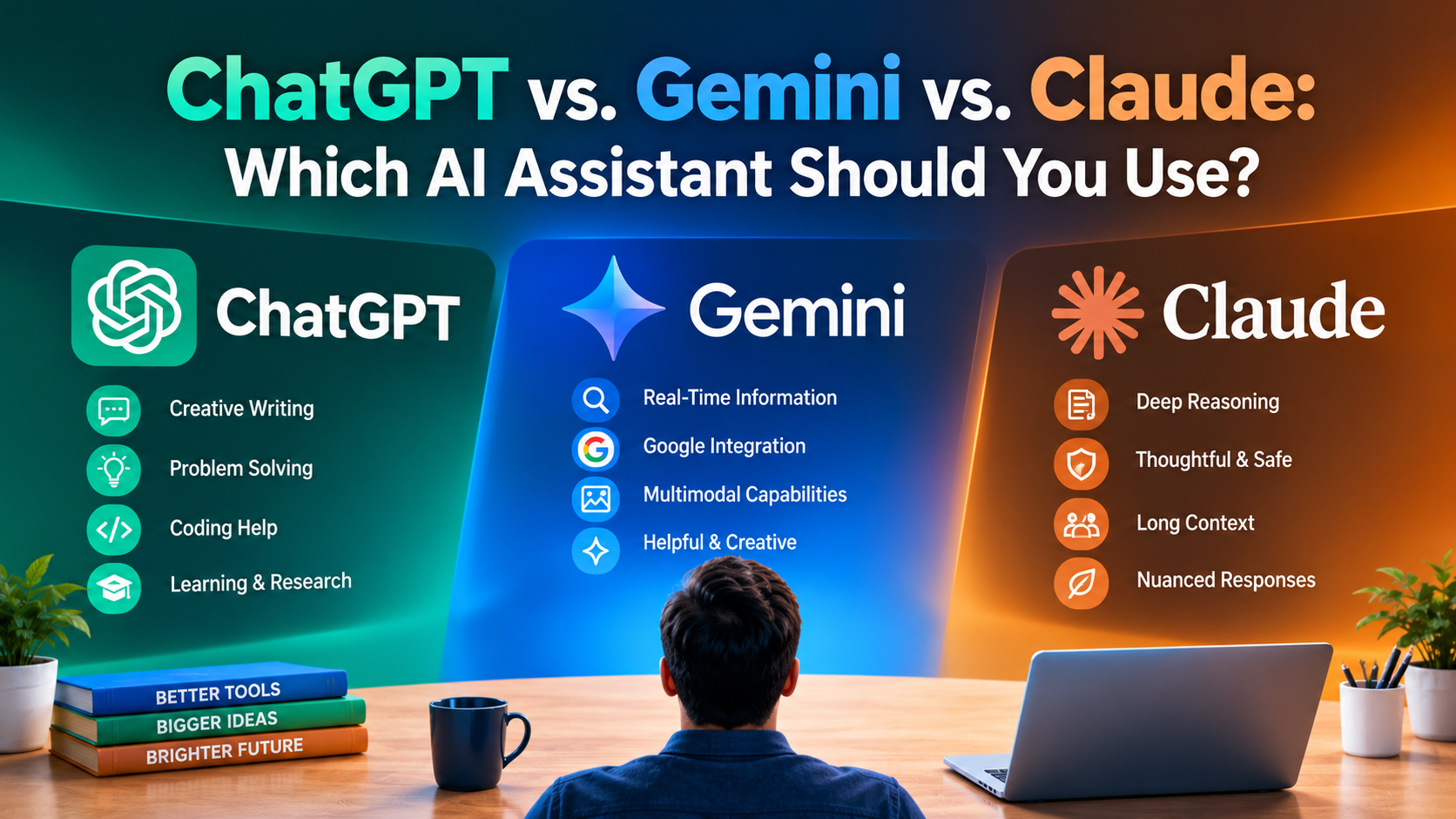
Jev AI vs. ChatGPT: What's the Difference?
Although Jev, ChatGPT, and Claude all use artificial intelligence, they serve different purposes.
ChatGPT and Claude are primarily general-purpose AI assistants. Jev is designed to provide structured judgments inside applications.
Feature | Jev AI | ChatGPT and Claude |
|---|---|---|
Main purpose | Structured decision-making | Conversation, writing, reasoning, and general assistance |
Typical output | Choices, scores, probabilities | Natural language, code, and supported structured formats |
Natural conversation | Not designed for chat | Yes |
Content generation | No free-form text generation | Yes |
Decision probabilities | Native to Jev's question types | Not an equivalent built-in feature across all outputs |
API integration | Yes | Yes |
Best suited for | Classification, routing, scoring, automated judgments | Writing, research, coding, explanations, and broader tasks |
Is Jev better than ChatGPT?
Not universally.
Jev may be a better fit when an application needs repeated, narrowly defined decisions and the developer wants probabilities in a fixed output format.
ChatGPT is more suitable when users need explanations, creative content, conversational interactions, or broader problem-solving.
Claude serves many similar general-purpose tasks.
Modern generative AI APIs can also produce structured outputs and perform classification, so Jev is not the only available solution. Its differentiation lies in its decision-focused architecture and probability-based interface.
Can Jev and ChatGPT work together?
Yes.
Consider an automated support assistant.
Jev could evaluate a message and determine which workflow should handle it.
A generative model could then write a helpful response to the customer.
Conventional software would control the workflow and decide whether human approval is required.
This complementary approach is also discussed in Zapier's independent overview of Jev.
Advantages and Limitations of Jev AI
Jev has several advantages for developers, but its limitations are equally important.
Advantages
Predictable output formats: Supported questions return structured values that match the requested types.
Built-in uncertainty information: Choice and Score return confidence and probability distributions; Noul returns a yes probability.
Potentially lower costs: Its pricing and architecture are designed for frequent, narrowly scoped decisions.
Efficient repeated judgments: Multiple questions can be evaluated together.
Compatibility with existing systems: It can provide decisions while ordinary code manages application behavior.
Limitations
It cannot write freely. Jev is not designed to produce articles, explanations, emails, or general chatbot responses.
It can make incorrect judgments. Type-safe output prevents certain formatting errors, not factual or classification mistakes.
It is not a calculator. TypeSafe documents difficulties with numerical precision, counting, and some date-related judgments, particularly in its Jev 1.13 limitations guidance. Deterministic calculations are better handled in code.
It needs carefully designed questions. Poorly defined categories, ambiguous instructions, or irrelevant input can reduce answer quality.
Experimental features are less reliable. Image support, Box questions, and extended context require explicit opt-in and are not recommended by TypeSafe as fully production-ready.
It has context and usage limits. Current documented defaults are 64,000 tokens per request and 32,000 per question. Experimental longer context increases these limits to 262,000 tokens, but TypeSafe warns that longer inputs may reduce reliability.
Jev also does not directly accept audio or video under its standard documented model input capabilities.
For sensitive or high-stakes decisions, developers should test results on representative data and retain appropriate human oversight.
Is Jev AI Free? Pricing and Availability
Jev currently offers public account registration and paid API usage.
According to TypeSafe's official pricing documentation, both Jev 1.13 and Jev 1.14 have the following published rates:
Pricing item | Published rate |
|---|---|
Input tokens | $0.042 per million tokens |
Output tokens | Free |
Input cost per billion tokens | $42 |
Billing model | Usage-based API credits |
A token is a small unit of text processed by an AI model. The number of tokens in a request depends on the content and questions you provide.
For example, a hypothetical request containing 1,000 billable input tokens would have a token-based cost of approximately $0.000042 at the listed rate, excluding any other applicable charges or terms.
The exact cost of an application depends on its actual token usage.
TypeSafe's public documentation also describes purchasing additional API credits through Settings → Billing in the console.
Can you try Jev without paying?
The official documentation confirms the availability of the Playground and open account registration.
However, publicly accessible official information reviewed for this article does not establish a guaranteed ongoing free tier or a current universal allocation of free credits for new accounts.
Therefore, users should check their account's displayed credit balance and billing options rather than assume unlimited free usage.
Current model pricing and identifiers are listed in the official TypeSafe model documentation.
Who Should Use Jev AI?
Jev is primarily aimed at people and organizations building software that requires frequent judgments.
It can be relevant to:
Software developers building classification, routing, or scoring features.
AI-agent developers deciding which tools or workflows should run.
Businesses automating repetitive review and categorization tasks.
E-commerce platforms organizing products and customer requests.
Researchers and AI engineers experimenting with probability-based decision systems.
For someone who only needs an AI assistant to answer questions, write content, or help with everyday work, ChatGPT or Claude is generally a more suitable starting point.
Jev becomes more interesting when those tasks need to be incorporated into repeatable software workflows.
Frequently Asked Questions About Jev AI
Is Jev AI a chatbot?
No. Jev is a decision-making AI model rather than a conversational chatbot. It produces structured answers, not unrestricted dialogue.
Who owns Jev AI?
Jev is developed and provided by TypeSafe AI, founded by Diogo Almeida.
When was Jev AI launched?
TypeSafe publicly introduced Jev on September 15, 2026. Its Jev 1.14 release followed on October 14, 2026.
Is Jev AI open source?
The official materials reviewed describe Jev as a hosted model available through TypeSafe's API. They do not establish that Jev's model weights are publicly available under an open-source license.
Does Jev AI use large language models?
TypeSafe describes Jev as a different model architecture optimized for structured decisions rather than conventional autoregressive text generation.
It should not simply be described as ChatGPT with a smaller interface.
Does Jev AI support Python?
Yes. TypeSafe provides an official Python SDK called typesafe-sdk. Developers can also call its HTTP API directly.
Can Jev AI generate images?
No. Experimental image understanding and image-region detection do not mean Jev can generate new pictures.
Can Jev AI make mistakes?
Yes. Jev can return incorrect decisions even when its output follows the correct format. Its confidence and probabilities help developers manage uncertainty but do not guarantee accuracy.
Is Jev AI faster than ChatGPT?
TypeSafe reports significantly faster responses in its own decision-focused evaluations. However, this does not establish that Jev is faster for every task, particularly tasks requiring text generation that Jev does not support.
The appropriate comparison depends on the same task, output requirements, and testing environment.
Do you need programming knowledge to use Jev?
You can explore its basic behavior in the browser Playground without programming.
Building production integrations normally requires development knowledge or assistance from a developer.
Final Thoughts: Is Jev AI Worth Exploring?
Jev AI represents a different approach to artificial intelligence.
Instead of trying to become another conversational assistant, it focuses on supplying small, structured judgments that applications can use as part of larger workflows.
Its most important characteristics are predictable answer formats, probability-based outputs, parallel question evaluation, and a model architecture designed for automation.
That makes Jev worth exploring for developers working with AI agents, classification systems, customer support automation, and other decision-heavy applications.
However, Jev is not a replacement for ChatGPT or Claude. It does not generate explanations or handle open-ended conversations, and its predictions still need appropriate testing.
The practical distinction is straightforward: generative AI helps create content, while Jev helps software decide what to do with information.