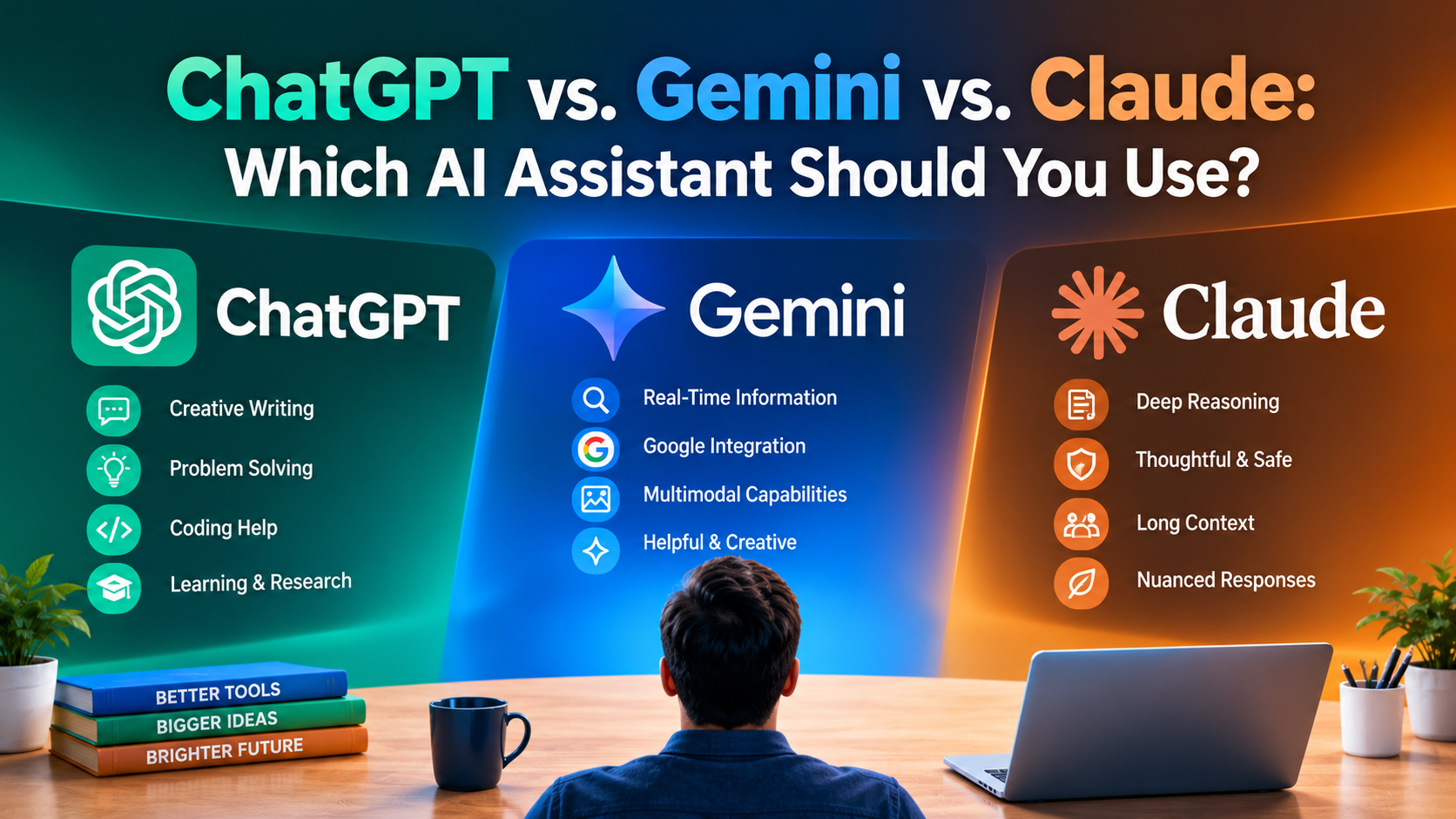
If you are comparing ChatGPT vs Gemini vs Claude, you are probably asking a simple question: which one should I actually use? The honest answer is that all three are strong, and the best choice depends on what you do every day. One person needs a writing partner. Another lives inside Gmail and Google Docs. A third wants one app that can chat, create images, and talk by voice.
This guide compares the three assistants across everyday questions, writing, research, creativity, and productivity. It explains where each one performs well, where it falls short, and which features are free or paid. You will also find a quick decision guide, real example prompts to test them yourself, and the privacy habits that apply to every AI tool.
A note on accuracy: AI products change fast. Plan names, prices, usage limits, and model names in this article reflect information available in October 2026. Always confirm on each official pricing page before you pay.
ChatGPT vs Gemini vs Claude at a Glance: What Is the Main Difference Between These Three AI Assistants?
Before the detailed sections, here is the short version of what separates them.
The Three Assistants in One Paragraph Each
ChatGPT by OpenAI
ChatGPT is the most widely known AI assistant. It is a flexible all-rounder with a large ecosystem: chat, voice, image generation, file analysis, custom assistants, and research tools in one app.
Gemini by Google
Gemini is Google's AI assistant. Its biggest advantage is integration with Google products such as Gmail, Docs, Drive, Maps, and YouTube, plus strong research and multimodal features.
Claude by Anthropic
Claude is Anthropic's AI assistant. It is popular for natural, careful writing, long document work, and clear reasoning, and it also offers tools such as Projects and Artifacts for building and organizing work.
Why There Is No Single Winner
These assistants are updated constantly, and they keep copying each other's best features. A comparison that crowns one permanent winner goes out of date within months. A better approach is to match the assistant to your main task, then test it with your own prompts.
Quick Comparison Table for Busy Readers
Feature | ChatGPT | Gemini | Claude |
Made by | OpenAI | Anthropic | |
Best known for | All-round flexibility and a big ecosystem | Google app integration and research | Writing quality and long-document work |
Free plan | Yes, with limits | Yes, with limits | Yes, with limits |
Main paid plan | Plus, about $20/month | Google AI Pro, about $19.99/month | Pro, about $20/month |
Cheaper entry plan | Go, about $8/month | Google AI Plus, about $4.99/month | None at this level |
Heavy-user plans | Pro, about $100 or $200/month | AI Ultra, about $99.99 or $199.99/month | Max, about $100 or $200/month |
Built-in image generation | Yes | Yes | Not natively |
Strongest ecosystem fit | Standalone app with plugins and tools | Google Workspace and Android | Projects, documents, and coding workflows |
Prices are US dollar figures, can differ by country, and may change. Verify before subscribing.
How ChatGPT, Gemini, and Claude Perform for Everyday Questions, Quick Answers, and General Knowledge
Most people use AI for ordinary questions: explaining a topic, comparing options, or solving a small problem. This is where all three assistants are strongest, and the differences are small.
Everyday Question Answering and General Knowledge
ChatGPT for Everyday Questions
ChatGPT handles a very wide range of topics and is comfortable switching between casual and technical questions. Its voice mode and memory features make it feel like a general-purpose assistant you can keep open all day.
Gemini for Everyday Questions
Gemini works well when your question connects to Google services. Asking about a place, a video, an email, or a calendar event is more natural when the assistant can work with those tools.
Claude for Everyday Questions
Claude tends to give clear, well-organized explanations and is often good at admitting uncertainty. That makes it useful when you want a careful answer rather than a fast, confident-sounding one.
Example Prompt to Test All Three
"Explain how a mortgage works in simple words, then list 5 questions I should ask a bank before applying."
What to Look For
Compare clarity, accuracy, and whether the assistant tells you what it does not know. Never treat any of them as final authority on money, health, or legal matters.
Accuracy, Hallucinations, and the Need to Verify
Why Every AI Can Be Wrong
All three assistants can produce confident but incorrect statements, including invented sources or outdated facts. This is not a flaw of one brand. It is a limitation of current AI technology.
Practical Fix
Use the search or research mode when you need current facts, ask for sources, and confirm important claims on official websites.
Which AI Is Best for Writing, Editing, and Content Creation: ChatGPT, Gemini, or Claude?
Writing is one of the most common reasons people try an AI assistant, and the three have noticeably different styles.
Writing Style and Tone Quality
Claude for Natural, Careful Writing
Many writers prefer Claude's tone because it often sounds natural and less formulaic. It is a strong choice for essays, long emails, reports, and editing work where you want the text to sound human.
ChatGPT for Versatile Writing
ChatGPT adapts well to many formats: social posts, scripts, product descriptions, outlines, and brainstorming. If you want many variations quickly, it is a flexible choice.
Gemini for Writing Inside Google Tools
Gemini is convenient if you draft in Google Docs or Gmail, because you can improve text where you already work, without copying and pasting between apps.
Example Prompt to Test All Three
"Rewrite this paragraph to be clearer and shorter, keep my voice, and explain the three biggest changes you made."
Editing Your Own Work Without Losing Your Voice
Ask for Feedback Instead of Full Rewrites
A smart habit with any assistant is to ask for a list of issues first and rewrite yourself. This protects your style and helps you improve as a writer.
Limitation to Remember
If you submit AI-written work for school or a client without review, you risk factual errors, a generic tone, and policy problems. Always edit and fact-check.
Which AI Is Best for Research, Studying, and Summarizing Long Documents?
Research needs accuracy, sources, and the ability to handle long material. Each assistant offers some form of deeper research, but with different strengths.
Research Modes and Source-Based Answers
Gemini for Research With Google Integration
Gemini offers a Deep Research feature, and its connection to Google's ecosystem is useful for gathering and organizing information. Its free plan includes Deep Research with limits, which makes it easy to try.
ChatGPT for Research and Analysis
ChatGPT also offers a Deep Research tool on paid plans, which can produce longer, source-linked reports. It is helpful for broad topics where you want a structured overview.
Claude for Reading and Reasoning Over Long Material
Claude is popular for working through long documents, contracts, papers, and reports, and for explaining difficult material step by step. Its Projects feature lets you keep files and instructions together for ongoing work.
Example Prompt to Test All Three
"Summarize this report in 5 bullet points, list any deadlines or risks, and tell me which parts you are least sure about."
Studying and Learning New Topics
Using AI as a Tutor
All three can explain a concept at your level, quiz you, and create study plans. Ask for explanations in simple words, request analogies, and have the assistant test you afterward.
Limitation to Remember
For exams, health, law, or finance, double-check key facts against textbooks, official guidelines, or your teacher.
Which AI Is Best for Creativity, Images, Video, and Brainstorming Ideas?
Creativity is where the three assistants differ most, because their built-in tools are not the same.
Image and Video Creation
ChatGPT for Images
ChatGPT includes image generation inside the same chat, which is convenient for logos, illustrations, social media graphics, and quick visual ideas. Free users get limited and slower image generation.
Gemini for Images and Video
Gemini offers image generation and, on higher paid plans, video creation tools. This makes it attractive for creators who want visual and video experiments inside one Google account.
Claude for Visual Work
Claude does not generate images natively. It can, however, create diagrams, charts, web pages, and interactive tools through code and Artifacts, which is useful for presentations and prototypes.
What This Means for You
If your main goal is making pictures, ChatGPT or Gemini will usually serve you better. If you want structured visuals, documents, or small apps, Claude is a strong option.
Brainstorming, Storytelling, and Idea Generation
Getting More Original Ideas
Ask for ten ideas, then ask the assistant to combine the best three, and then challenge its own suggestions. Using more than one assistant can also give you a wider range of ideas.
Example Prompt to Test All Three
"Give me 10 blog title ideas about budgeting for students, then rank them by search appeal and explain why."
Which AI Is Best for Productivity, Coding, and Daily Workflow Automation?
Productivity is about saving time inside the tools you already use.
Work Inside Your Existing Apps
Gemini for Google Workspace Users
If your life runs on Gmail, Calendar, Docs, Sheets, and Drive, Gemini can fit naturally into that workflow and reduce copy-paste work.
ChatGPT for a Flexible Personal Assistant
ChatGPT works well as a standalone workspace: drafting, planning, analyzing files, and building custom assistants for repeated tasks.
Claude for Projects, Documents, and Technical Work
Claude is widely used for coding help, structured documents, and organized long-term projects. Its Projects and file creation tools suit people who keep returning to the same body of work.
Example Prompt to Test All Three
"I run a small online shop. Build a weekly plan for content, orders, and customer replies, and make it realistic for 2 hours a day."
Coding and Technical Help
What They All Can Do
All three can explain code, find bugs, write functions, and help you learn programming concepts. Results vary by task and language, so test them on a small real problem from your own work.
Limitation to Remember
Never paste secret keys, passwords, or private company code into a public chatbot.
ChatGPT vs Gemini vs Claude Free Plans: What You Get Without Paying
For many beginners, a free plan is enough. Here is how each free tier looks.
What Each Free Plan Offers
ChatGPT Free
ChatGPT's free plan gives limited access to its latest fast model, with limits on messages, uploads, and image generation. In some regions, free usage may include ads.
Gemini Free
Gemini's free app includes a fast model, limited access to its stronger model, Deep Research, Gemini Live voice conversations, Canvas, Gems, and some cloud storage. It is one of the more feature-rich free plans.
Claude Free
Claude's free plan covers everyday chat with usage limits, and recent updates brought features such as Projects, Artifacts, file creation, and connectors to free users. Usage caps can be reached quickly during heavy sessions.
Which Free Plan Should You Start With?
Try all three for a week with the same prompts. Free plans cost nothing, and your own results matter more than any review.
Common Free Plan Limitations
Usage Caps and Slower Access
Free plans usually restrict messages, file uploads, and the strongest models, especially at busy times.
When Free Stops Being Enough
If you hit limits several times a week or depend on AI for daily work, a paid plan may save you more time than it costs.
ChatGPT vs Gemini vs Claude Paid Plans and Pricing: Is It Worth Paying for an AI Assistant?
Paid plans mostly give you higher usage limits, stronger models, and extra tools. Here is how the pricing ladders compare, in US dollars.
Pricing Ladder for Each Assistant
ChatGPT Plans
ChatGPT offers Free, Go (about $8/month), Plus (about $20/month), and two Pro levels (about $100 and $200/month), plus business and enterprise plans. Plus is the common choice for individuals.
Gemini Plans
Gemini is available through Free, Google AI Plus (about $4.99/month), Google AI Pro (about $19.99/month), and Google AI Ultra (about $99.99 or $199.99/month). The plans also bundle Google cloud storage, which adds value if you already pay for storage.
Claude Plans
Claude offers Free, Pro (about $20/month), and Max (about $100 or $200/month), plus team and enterprise options. Pro suits most individuals, and Max is aimed at very heavy users.
Important Pricing Notes
Prices and regional pricing can differ, taxes may apply, and plan benefits change. Pakistan and other regions may see different prices or billing options, so check the official page for your country.
Which Paid Plan Is Worth It?
For Students and Beginners
Start free. If you need more, a low-cost tier such as Go or AI Plus can be enough, but check exactly which models and features it includes.
For Professionals and Creators
The $20 tier from any of the three is the usual sweet spot: higher limits and better models without the cost of the premium plans.
For Heavy Users and Developers
The $100 to $200 plans make sense only if you regularly hit limits in a paid plan. Most people do not need them.
A Simple Rule
Pay for one assistant at a time. Use it for a month, and only add or switch if you find a clear gap.
Privacy and Safety: What You Should Know Before Sharing Information With ChatGPT, Gemini, or Claude
Privacy rules and settings differ by company and by plan, and they change. A few habits apply to every tool.
What You Should Never Paste Into Any AI Chatbot
Sensitive Information to Keep Out
Never Share These
Passwords, PINs, and one-time codes
Bank, card, and national ID numbers
Confidential client or company data
Private medical records with identifying details
Smart Privacy Settings to Review Today
Practical Steps
Quick Privacy Checklist
Read each tool's privacy policy and data settings.
Check whether your chats can be used to improve the models, and switch it off if you prefer.
Use temporary or incognito chat modes for sensitive topics where available.
Replace names, addresses, and numbers with placeholders.
Follow your school's or employer's AI rules.
Which AI Assistant Should You Choose? A Simple Decision Guide Based on What You Do Every Day
If you still cannot decide, match the assistant to your main need.
Choose Based on Your Main Goal
Choose ChatGPT If
You want a flexible all-rounder with image generation, voice, and a large tool ecosystem in one app.
Choose Gemini If
You live in Google's ecosystem, want strong research and multimodal tools, or want cloud storage bundled with your AI plan.
Choose Claude If
You care most about writing quality, long document work, careful reasoning, and organized projects.
The Best Strategy for Many People
Use a free plan of two assistants, compare answers on important tasks, and pay for the one you open most often.
Real-World Examples
Student
Gemini for research and Google Docs, with Claude or ChatGPT for explaining difficult topics.
Freelance Writer or Blogger
Claude for drafting and editing, ChatGPT for brainstorming and graphics.
Office Worker or Small Business Owner
Gemini if you use Google Workspace, otherwise ChatGPT or Claude based on which tone and workflow you prefer.
How to Compare AI Assistants Fairly Using Your Own Prompts and a Simple Scoring Method
Reviews are useful, but your own test is better.
Build a Small Test Set
Use 5 Real Tasks
Pick five tasks from your real life: an email, a summary, a study question, a planning task, and a creative request.
Score Each Answer
Rate every answer from 1 to 5 for accuracy, clarity, usefulness, and tone. Add the scores, and the winner for you becomes obvious.
Repeat the Test After Updates
Why Testing Again Matters
Models improve often, so a result from six months ago may no longer be true.
Frequently Asked Questions About ChatGPT vs Gemini vs Claude
Which is better, ChatGPT, Gemini, or Claude?
There is no single best option. ChatGPT is a flexible all-rounder, Gemini is strongest for Google integration and research, and Claude is often preferred for writing and long documents. Test them with your own tasks.
Are ChatGPT, Gemini, and Claude free to use?
Yes. All three have free plans with usage limits. Paid plans add higher limits, stronger models, and extra features.
Is a paid AI plan worth it?
It is worth it if you hit free limits often or use AI daily for work or study. If you use it occasionally, a free plan is usually enough.
Can these AI assistants replace professionals?
No. They can help you understand topics and prepare, but they cannot replace doctors, lawyers, financial advisors, or teachers.
Is it safe to share personal information with AI chatbots?
Avoid sharing sensitive data such as passwords, ID numbers, and confidential documents, and review each tool's privacy settings.
Which AI is best for students?
Many students start with the free plans of all three. Gemini suits Google-based study workflows, while ChatGPT and Claude are good for explanations and writing feedback.
Final Thoughts: Choosing Between ChatGPT, Gemini, and Claude Without Overthinking It
The ChatGPT vs Gemini vs Claude debate has no permanent winner. Each assistant is strong in a different way, and each one keeps improving. Start with the free plans, test them on your real work, and upgrade only when a limit actually slows you down. Treat every assistant as a helpful partner, not an authority, and protect your privacy as you go.