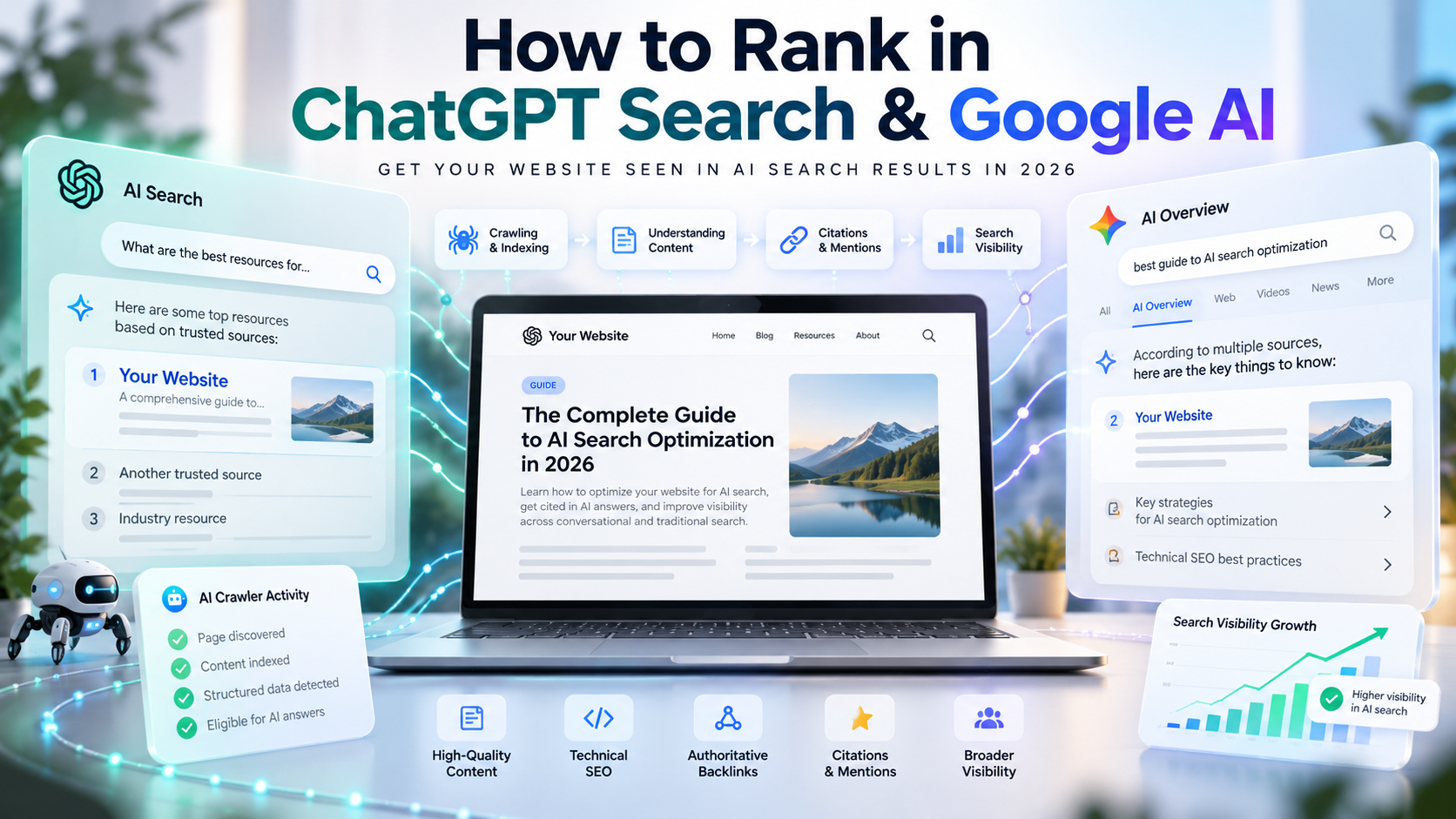
Imagine someone asking ChatGPT or Google AI a question that your website answers perfectly. Will the AI find your content, mention your business, or link to your article?
Not necessarily. Even websites that perform well in traditional Google Search may not appear in AI-generated answers.
To improve your chances of appearing in ChatGPT Search, Google AI Overviews, and Google AI Mode, you need three things: accessible pages, proper search indexing, and genuinely useful content. You also need to understand how these platforms discover and select information because they don't work in exactly the same way.
This guide walks you through the process, from configuring AI search crawlers and fixing indexing problems to improving your content and tracking results. Every recommendation is grounded in official guidance from OpenAI, Google, or credible independent research.
How Do Websites Appear in ChatGPT and Google AI Search?
When someone searches on Google, they usually see a list of websites ranked according to their relevance and Google's ranking systems.
AI-powered search works differently. Instead of relying only on a list of links, it can pull information from several sources, combine relevant details, and generate a direct answer.
That creates several opportunities for website owners:
Citation: Your webpage appears as a linked source supporting an AI-generated answer.
Brand mention: ChatGPT or Google AI mentions your business or website, potentially without linking to it.
Recommendation: Your product, service, or website is suggested as a relevant option.
Referral visit: Someone clicks a link in an AI answer and visits your website.
These outcomes aren't the same. Your website could receive a citation without gaining a visitor, while your brand might be recommended without a direct link.
Understanding the difference helps you measure what AI search is actually doing for your website.
How ChatGPT Search Finds and Cites Websites
ChatGPT Search retrieves information from the web when users ask questions that benefit from current or external sources.
OpenAI operates a crawler called OAI-SearchBot, which helps make publicly accessible website content discoverable through ChatGPT's search features. ChatGPT may also rely on third-party search providers and other retrieval methods.
When ChatGPT uses information from external sources, its answers can include clickable citations.
According to OpenAI's official crawler documentation, websites that block OAI-SearchBot are excluded from ChatGPT search answers, although they may still appear as navigational links.
Allowing this crawler is an important step, but it doesn't automatically make ChatGPT cite your website. The information still needs to be relevant to the user's question.
How Google AI Overviews and AI Mode Find Sources
Google offers two major AI-powered search experiences.
Google AI Overviews generates summaries for searches where Google considers an AI-generated response helpful.
Google AI Mode supports more detailed questions, comparisons, and follow-up conversations.
Both rely on Google's existing Search infrastructure and can use a process called query fan-out.
Rather than searching only for the exact words someone entered, Google may perform several related searches to gather information.
For example, imagine someone asking:
How can I make my ecommerce website faster without upgrading my hosting?
Google might explore related topics such as image compression, caching, JavaScript optimization, and page performance.
An article that thoroughly explains one of these topics could be useful as a supporting source, even if it doesn't match the original question word for word.
Google explains this process in its AI Features and Your Website documentation.
ChatGPT Search vs Google AI Overviews vs AI Mode
Feature | ChatGPT Search | Google AI Overviews | Google AI Mode |
|---|---|---|---|
Main purpose | Answer questions using web information | Summarize search topics | Explore complex questions |
Website discovery | OpenAI systems and search providers | Google Search infrastructure | Google Search infrastructure |
Relevant crawler | OAI-SearchBot | Googlebot | Googlebot |
Supporting links | Yes | Yes | Yes |
Main technical focus | Search crawler accessibility | Indexing and snippet eligibility | Indexing and snippet eligibility |
Guaranteed appearance | No | No | No |
The distinction matters when optimizing your website. ChatGPT has its own search crawler controls, while Google's AI experiences build on established Google Search requirements.
Step 1: Make Sure AI Search Crawlers Can Access Your Website
Before rewriting articles or adding new content, check something more basic: can the relevant search crawlers actually reach your pages?
A website might publish excellent information but remain inaccessible to certain search systems because of its technical configuration.
Check robots.txt for OAI-SearchBot and Googlebot
Most websites have a robots.txt file that tells participating crawlers which sections they can request.
You can usually find yours at:
https://example.com/robots.txt
Replace example.com with your domain.
For ChatGPT Search, the crawler to know is OAI-SearchBot. OpenAI also operates other agents, but they serve different purposes.
Crawler | What it does |
|---|---|
OAI-SearchBot | Helps discover website content for ChatGPT Search |
GPTBot | Crawls content that may be used to train OpenAI foundation models |
ChatGPT-User | Handles certain webpage visits initiated by ChatGPT users |
One important detail often gets overlooked: allowing ChatGPT to discover your website doesn't mean you must allow OpenAI to crawl it for model training.
OAI-SearchBot and GPTBot have separate controls.
Here's an example of a robots.txt configuration that permits search crawling while disallowing GPTBot:
User-agent: OAI-SearchBot
Allow: /

User-agent: GPTBot
Disallow: /

User-agent: Googlebot
Allow: /
This is an example, not a complete configuration for every website.
Before changing your existing file, review any rules protecting private directories, staging environments, or restricted content. Also check whether broader directives affect crawler access.
OpenAI says changes to robots.txt may take approximately 24 hours to affect its search systems.
That doesn't mean your website will appear in ChatGPT results within 24 hours. It only describes how long crawler permission changes may take to be recognized.
For complete guidance, see OpenAI's crawler documentation.
Check Cloudflare, Firewalls, and Server Restrictions
A correctly configured robots.txt file won't help if your server blocks the crawler before it reaches your content.
This can happen when websites use aggressive security settings.
Common problems include:
Cloudflare or another firewall challenging legitimate crawlers.
Security rules blocking automated traffic.
Servers returning
403 Forbiddenerrors.Rate limits rejecting repeated requests.
Authentication requirements on public pages.
Redirect loops or server errors.
If you're using Cloudflare, check its security events to see whether crawler requests are being challenged or blocked.
OpenAI publishes the official OAI-SearchBot IP ranges, which administrators can use to identify legitimate crawler traffic and review firewall rules.
You don't need to turn off security protections. The better approach is to adjust specific restrictions that interfere with legitimate crawlers.
A useful check: Look at your server or CDN logs. A page opening normally in your browser doesn't prove it is accessible to OAI-SearchBot or Googlebot.
Step 2: Check Whether Google Can Index Your Pages
For Google AI Overviews and AI Mode, indexing is a crucial part of the process.
Google states that a page must be indexed and eligible to appear with a snippet to qualify as a supporting link in its AI search features.
Use Google Search Console to Check Indexing
Google Search Console is a free tool that shows how Google discovers, crawls, and indexes your website.
If you haven't checked your important pages recently, start here.
Open Google Search Console and select your verified website property.
Enter a webpage URL into the URL Inspection tool.
Check whether Google has indexed the page.
Review any reported problems and Google's selected canonical URL.
Click Test Live URL to inspect the currently accessible version.
Fix identified issues and request indexing when appropriate.
If your website is new, submitting an XML sitemap through Search Console can also help Google discover your pages.
However, submitting a sitemap or requesting indexing doesn't guarantee that Google will index the content.
Fix Common Indexing and Snippet Problems
When a page isn't indexed, the problem may be technical rather than editorial.
Check whether:
A
noindexdirective prevents indexing.Googlebot is blocked by
robots.txtor a firewall.The URL redirects somewhere unexpected.
The server returns an error.
Google has selected another page as canonical.
Important content is missing from the rendered page.
The page offers little unique value compared with similar content.
Pay attention to snippet settings, too.
Google supports directives such as nosnippet, data-nosnippet, and max-snippet. These settings can restrict what Google displays from your pages, including in AI-powered search experiences.
If your goal is to have public articles featured in Google AI answers, make sure those restrictions reflect your actual intentions.
There's also an important distinction between the platforms: Google indexing is a documented eligibility requirement for supporting links in Google's AI features, but it isn't a universal requirement for every ChatGPT Search citation.
See Google's AI Features and Your Website guide for the official requirements.
Step 3: Optimize Your Content for AI Search
Once your pages are accessible, the next question is whether they offer information worth using.
There's no need to completely reinvent your writing style for AI search. Much of what makes an article useful to readers also makes it a stronger resource for search.
Google's guidance for generative AI search emphasizes helpful, distinctive information rather than content designed primarily to manipulate AI-generated answers.
Answer Questions Clearly and Directly
Readers shouldn't have to work through several paragraphs to find the answer they came for.
Start with the main point, explain it clearly, and add supporting details where necessary.
Consider two ways to introduce an article about choosing an ecommerce platform.
A vague explanation:
Choosing an ecommerce platform is important for businesses. Different platforms have different features that should be considered.
A more useful explanation:
When choosing an ecommerce platform, compare monthly costs, transaction fees, product management, integrations, and ongoing maintenance. Hosted platforms can reduce technical work, while self-hosted solutions may provide more control but require additional maintenance.
The second version gives readers something they can act on immediately.
That doesn't prove the paragraph will receive more AI citations. It simply makes the information clearer and more useful.
Use descriptive headings, explain technical terms when necessary, and include examples that help readers apply what they've learned.
Avoid forcing every paragraph into the same short-answer format. Some questions need a sentence; others need a detailed explanation.
Add Original Evidence, Useful Details, and Trust Signals
Search results are full of articles that repeat the same general advice.
If your content adds nothing beyond what readers can find elsewhere, it has little to distinguish it.
You can make an article more useful through:
Original comparisons with clear evaluation criteria.
Screenshots showing real procedures.
Genuine first-hand experience with relevant tools.
Statistics from reliable original research.
Practical examples and troubleshooting advice.
Honest explanations of limitations.
References to authoritative documentation.
For example, telling readers to check Google Search Console is helpful. Showing them how to interpret an indexing error and decide what to fix is much more valuable.
The same principle applies to product reviews, tutorials, and comparisons. Explain how conclusions were reached instead of making unsupported claims.
Author information also matters for transparency. Readers should be able to understand who created the content and, where relevant, what expertise supports it.
Keep time-sensitive information updated, but don't change publication dates merely to make old articles appear new.
Make Important Content Accessible
Even useful content can cause problems if crawlers can't retrieve it correctly.
On WordPress, check that your SEO plugin isn't unintentionally applying indexing restrictions to important pages.
On React or Next.js websites, pay attention to how article content is rendered.
Google can process JavaScript, but rendering problems can still prevent content from being discovered or indexed correctly.
Server-side rendering and static generation can make essential content available in the initial HTML response, which reduces reliance on JavaScript execution.
Neither approach guarantees better AI search visibility. The goal is to make important information reliably accessible.
Google explains the technical considerations in its JavaScript SEO documentation.
Step 4: Improve Website Authority and Discoverability
Making content accessible is only part of the job. Readers also need reasons to trust what they find.
A website that publishes accurate, well-supported information has a stronger editorial foundation than one filled with anonymous claims and generic summaries.
Build Credibility Through Original Information
Start with the basics.
Make author information accurate. Support important claims with reliable references. Explain how comparisons were conducted and correct mistakes when they are discovered.
If you're writing about scientific findings, try to link to the original study. For technical tutorials, official documentation is usually a better reference than an unsupported third-party claim.
For product reviews or recommendations, explain the relevant advantages, disadvantages, and evaluation criteria.
Credible external coverage can also help people discover your work.
However, neither OpenAI nor Google provides a fixed number of backlinks, brand mentions, or citations that guarantees inclusion in AI-generated answers.
Treat anyone promising such a formula with caution.
Strengthen Internal Links and External Discoverability
Internal links make it easier for visitors and search engines to find related information.
If you publish an article about AI search visibility, it may naturally connect to guides about technical SEO, schema markup, indexing, or Google Search Console.
Use descriptive anchor text and link to pages that genuinely help readers.
External exposure works best when it reflects real value: original research, useful resources, credible editorial mentions, or meaningful contributions to relevant communities.
Buying artificial mentions or generating large quantities of nearly identical articles isn't a reliable substitute for useful content.
Step 5: Improve Visibility in Google AI Overviews and AI Mode
Google's AI search experiences don't require an entirely separate approach to SEO.
They use Google's existing Search infrastructure, so established technical and content practices remain important.
Follow Google's AI Search Eligibility Requirements
Google's official guidance identifies several essential conditions.
Your page must meet the relevant technical requirements, be indexed and eligible for a snippet, and follow applicable Search policies.
The website must also be included in generative AI Search experiences under the relevant Search Console controls.
Beyond eligibility, Google recommends creating useful original content, making important information available as text, and maintaining discoverable internal navigation.
For businesses, accurate information in Google Business Profile or Merchant Center can also help with relevant Search experiences.
You don't need a special AI sitemap or dedicated AI schema to qualify for AI Overviews or AI Mode.
Google explains these requirements in its generative AI optimization guide.
Understand Query Fan-Out and Preferred Sources
Because Google AI can explore related questions, a useful article doesn't necessarily need to repeat the exact wording of every possible search.
Suppose someone asks:
How can I improve my online store's loading speed without switching hosting providers?
Google might search for information about caching, image optimization, JavaScript loading, and performance testing.
An article that thoroughly answers one of those related questions may be considered as supporting information.
That doesn't mean you should publish dozens of nearly identical pages targeting small keyword variations. A well-organized collection of genuinely useful articles is a better editorial approach.
Google also offers a Preferred Sources feature.
Users can select eligible publications they want to see highlighted in certain Search experiences. When a publication is selected, its eligible content may receive a preferred-source badge in AI Overviews and AI Mode.
It's a user preference feature, not an automatic ranking advantage for every website.
For details, see Google's Preferred Sources documentation.
Step 6: Improve Your Chances of Being Cited in ChatGPT Search
If your main goal is learning how to rank in ChatGPT search, focus on practical changes you can control.
ChatGPT doesn't offer website owners a universal, fixed ranking position like a traditional search results page. A source that appears for one question may not appear for another.
Make Your Pages Accessible and Worth Referencing
Start with this checklist:
Confirm OAI-SearchBot is allowed to access your public content.
Review firewall and server logs for blocked crawler requests.
Write articles that answer specific questions your audience asks.
Back important claims with reliable evidence.
Keep content accurate, accessible, and connected through relevant internal links.
Monitor whether your website receives citations, mentions, or referral visits.
These steps help address the most practical issues: accessibility, usefulness, and discoverability.
OpenAI doesn't publish a formula that guarantees your page will be cited.
Understand Citations vs Brand Recommendations
Consider these two questions:
How do I configure robots.txt for AI search crawlers?
Which SEO agencies can help my small business?
The first asks for technical information. A useful response might cite official documentation or a detailed tutorial.
The second asks for recommendations. An answer may draw on information about businesses, their services, and other relevant sources.
Being cited for an informational article is different from having your company recommended.
If you measure AI visibility, record these outcomes separately. Otherwise, it's easy to overestimate what a citation actually means for your business.
How to Track Your Website's AI Search Visibility
How do you know whether your efforts are working?
The answer depends on what you're trying to measure. An AI citation, a Google impression, and a website visit each tell you something different.
Measure Visibility Using Google Search Console
On June 3, 2026, Google announced dedicated Search Generative AI performance reports, with worldwide rollout confirmed by August 31, 2026.
These reports provide information about website visibility in generative AI Search experiences, including AI Overviews and AI Mode.
Useful reporting dimensions include:
Metric | What it tells you |
|---|---|
Impressions | How often pages appeared in supported AI search experiences |
Pages | Which URLs gained visibility |
Countries | Where those appearances occurred |
Devices | Device information where available |
Dates | How visibility changes over time |
This gives publishers a more useful way to assess Google AI visibility than repeatedly searching for their own articles.
Google also announced web multimodal search performance reporting on September 24, 2026. This added reporting options for visual discovery through supported experiences, including Google Lens and image-based searches.
Official sources:
Track ChatGPT Referral Traffic
In Google Analytics 4 or another analytics platform, review your traffic acquisition reports for visits associated with chatgpt.com.
Look beyond the visit count.
Which articles receive traffic? Do visitors read further? Are they signing up, sending enquiries, or taking another meaningful action?
Referral attribution isn't perfect. Browser behavior, tracking settings, and other technical factors can affect whether a visit is identified correctly.
So treat recorded ChatGPT traffic as measurable referral activity, not a complete record of every time your website appeared in an AI-generated answer.
Monitor AI Citations Without Assuming Fixed Rankings
You can supplement analytics with a simple visibility log.
Choose a small group of questions closely related to your website's subject.
For example, a cybersecurity blog might monitor questions about phishing protection, password managers, and securing business accounts.
For each check, record:
The question you asked.
The AI platform.
The date.
Whether your website was cited, mentioned, or recommended.
Which source URLs appeared.
Repeat the checks periodically using reasonably consistent conditions.
Remember that AI responses may change. One citation doesn't establish a permanent position, and a missing citation doesn't necessarily indicate a technical problem.
Why AI Visibility Doesn't Always Mean Website Traffic
Appearing in AI search doesn't guarantee that users will click through to your website.
A Pew Research Center study published on July 22, 2025 analyzed Google search behavior using browsing data from 900 U.S. adults.
Researchers found that people clicked traditional search results in 8% of visits where an AI summary appeared, compared with 15% of visits without one.
Clicks on links within the AI summaries occurred in approximately 1% of visits containing a summary.
These figures describe a specific U.S. sample from 2025. They aren't worldwide 2026 click-through rates, and the findings don't establish that AI summaries alone caused the differences.
Still, they highlight an important point: AI visibility and website traffic are different measures of success.
Track both, along with actions that matter to your business or publication.
Why Is Your Website Not Appearing in AI Search?
If your website isn't showing up in ChatGPT or Google AI answers, don't immediately assume your content needs a complete rewrite.
Start by checking whether the platforms can access and process it.
Technical Problems to Check First
Problem | How to investigate | What to do |
|---|---|---|
OAI-SearchBot blocked | Review | Remove unintended restrictions |
Googlebot blocked | Check crawler rules and Search Console | Restore appropriate access |
Firewall blocking requests | Review CDN and server logs | Adjust legitimate crawler permissions |
Page not indexed | Use Search Console URL Inspection | Investigate indexing issues |
Restrictive snippet settings | Review page directives | Adjust snippet controls if appropriate |
JavaScript content missing | Inspect rendered HTML | Make essential content accessible |
Incorrect canonical URL | Check URL Inspection | Correct unintended canonical signals |
Server errors | Inspect HTTP responses | Fix availability problems |
Correcting these issues can improve accessibility and eligibility. It won't guarantee that an AI system chooses your page.
Content and Relevance Problems to Investigate
If the technical checks look good, examine the page from a reader's perspective.
Does it answer the question clearly? Does it include information that isn't available in dozens of similar articles? Are its claims supported by credible sources?
Also check whether the content is still accurate. An article about software tools, pricing, or technical requirements can become outdated quickly.
Length alone isn't the issue. A focused 800-word tutorial can be more useful than a 3,000-word article that repeats the same advice.
Compare your page with reliable sources covering the same topic and identify what readers still need.
Sometimes the answer is a missing explanation or practical example. Other times, the page is simply less relevant to the specific question being asked.
Even strong content won't appear in every AI-generated answer.
AI SEO Myths and Mistakes to Avoid
The popularity of AI search has created plenty of advice about supposedly essential optimization tricks.
Some claims go well beyond what OpenAI or Google actually documents.
Common claim | What the evidence says |
|---|---|
Every website needs | Google doesn't use this file for Search ranking or AI eligibility |
Special AI schema is mandatory | Google doesn't require dedicated AI schema for AI Overviews or AI Mode |
Content must be split into tiny chunks | Google has no fixed chunk-size requirement |
Longer articles automatically perform better | There's no universal ideal article length |
Blocking GPTBot blocks ChatGPT Search | GPTBot and OAI-SearchBot have separate controls |
Google indexing guarantees AI citations | Indexing provides eligibility, not guaranteed inclusion |
Paid brand mentions guarantee recommendations | No evidence supports such a guarantee |
AI SEO tools can reveal Google's private ranking formula | Third-party tools don't have access to Google's internal ranking systems |
Structured data can still be useful for established Google Search features. It simply isn't a shortcut to guaranteed AI citations.
Likewise, llms.txt may have uses outside Google Search, but Google doesn't require it for AI Overviews or AI Mode.
When evaluating an AI SEO recommendation, ask a simple question: Is this an official platform requirement, a supported best practice, or merely someone else's theory?
That distinction can save considerable time and expense.
For Google's position, see its official generative AI optimization guidance.
Frequently Asked Questions
Can I Submit My Website Directly to ChatGPT?
OpenAI doesn't document a mandatory general website submission process for ChatGPT Search.
Instead, its guidance focuses on allowing OAI-SearchBot to access relevant public content and ensuring that website infrastructure doesn't block legitimate crawler requests.
Does Blocking GPTBot Prevent ChatGPT Search Visibility?
Not by itself.
GPTBot is associated with crawling content for potential model training, while OAI-SearchBot supports ChatGPT search discovery.
You can control their permissions separately.
How Long Does It Take to Appear in ChatGPT or Google AI Search?
There's no guaranteed timeframe.
OpenAI says changes to crawler permissions may take approximately 24 hours to affect its systems, but that isn't a promise of appearing in ChatGPT answers within a day.
Google's crawling, indexing, and AI source selection timelines also vary.
Can a New Website Appear in Google AI Overviews?
Yes. A new website can become eligible once its pages meet Google's indexing, snippet, technical, and policy requirements.
Eligibility doesn't guarantee inclusion, but new websites aren't automatically excluded simply because they're new.
Is Traditional SEO Still Important for AI Search?
Yes.
Google explicitly identifies established SEO practices as the foundation for optimizing websites for its generative AI features.
Useful content, crawlability, indexing, internal navigation, and good user experiences still matter.
For ChatGPT Search, website owners should also understand OpenAI's crawler controls.
Conclusion: What Should You Do First?
If you want your website to appear in ChatGPT Search and Google AI answers, begin with the fundamentals.
Check whether OAI-SearchBot and Googlebot can access your pages. Verify indexing in Google Search Console. Then make sure your content offers clear, accurate information that readers genuinely need.
Once those basics are in place, monitor Google AI visibility, ChatGPT citations, and referral traffic to understand what's changing.
You don't need to chase every new AI SEO trick. A technically accessible website with original, reliable, genuinely helpful content gives you a sound foundation for being discovered—whether someone searches through traditional results or an AI-powered answer.