
Your phone helps you stay connected, work, and manage everyday tasks. But when a quick notification turns into 30 minutes of scrolling, it can feel like your screen is controlling your time rather than the other way around.
Learning how to reduce screen time doesn't mean deleting every app or giving up technology. Start by identifying the habits that waste your time, setting realistic boundaries, and making small changes to your daily routine.
Whether you're struggling with endless social media scrolling, distractions while studying, or late-night phone use, a digital detox can help you take a more intentional approach to technology.
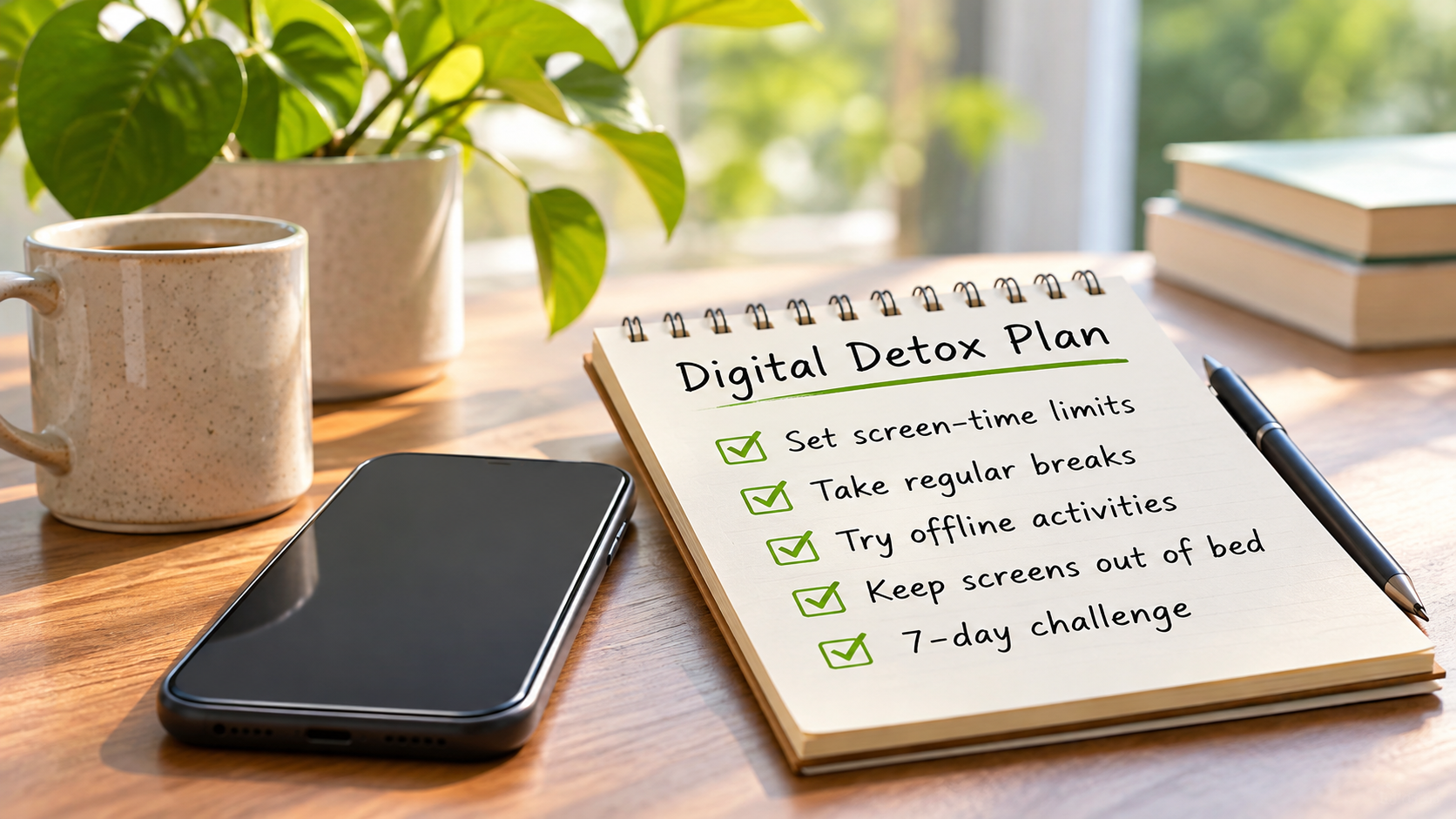
This guide covers practical screen-time reduction strategies, built-in iPhone and Android settings, healthier daily routines, and a flexible seven-day digital detox plan you can adapt to your lifestyle.
What Is a Digital Detox?
A digital detox means taking an intentional break from certain digital activities or reducing how often you use them. The idea is to spend less time on habits you want to change without giving up technology that makes your life easier.
You don't have to switch off your phone for a week or delete every social media account. A digital detox might mean checking Instagram less often, silencing unnecessary notifications, putting your phone away during meals, or avoiding recreational scrolling before bed.
There's no single scientific definition of digital detox. A 2024 review published in Pediatrics found that researchers use different approaches to studying it. Some interventions focused on reducing smartphone or social media use, while others involved complete breaks. The review found mixed results, with reduced use sometimes producing more favorable well-being outcomes than complete abstinence.
That difference matters because not all screen time is equal.
Using your laptop to finish an assignment, calling family members, or following directions on your phone serves a different purpose from spending an unplanned hour scrolling through videos.
A practical digital detox is about changing unwanted screen habits, not eliminating useful technology.
Start by Measuring Your Screen Time
Before setting limits, take a look at how you're actually using your devices.
You may be surprised by which apps take up the most time. Or you might discover that your biggest problem isn't how long you use your phone, but how often you pick it up without a particular reason.
Check Your Current Phone Usage
Most smartphones include tools that show how much time you spend on different apps.
On an iPhone, open Settings → Screen Time → Daily Average to review your usage. On many Android phones, open Settings → Digital Wellbeing and select the usage chart.
Look for three things:
Most-used apps: Which apps account for the largest share of your screen time?
Phone-checking habits: How often do you unlock your phone or reopen the same applications?
Unplanned usage: Which activities regularly take longer than you intended?
For example, imagine spending four hours a day on your phone. Two hours might involve work, navigation, or important conversations, while another hour goes toward scrolling through entertainment apps.
In that situation, reducing the unwanted scrolling may make more sense than trying to cut your total screen time in half.
Check your usage across several typical days. Your weekend routine may look very different from a workday, and one unusually busy day won't necessarily reflect your normal habits.
Set a Realistic Screen-Time Goal
Once you've identified the activities you want to reduce, choose a target that feels achievable.
Suppose you spend 100 minutes a day on a social media app. You could start by aiming for 80 minutes, then review whether that limit works.
That's a 20% reduction, but it's simply an example, not a medically recommended target.
Research suggests that having a say in your own goals can make a difference.
A 2026 randomized controlled trial published in Social Science & Medicine followed 149 participants over 12 weeks. People who selected their own screen-time reduction goals reduced phone usage by an additional 26 minutes per day compared with participants who were assigned goals.
The study supports personalized targets under its experimental conditions. However, it didn't establish one ideal screen-time limit, and the differences in psychological outcomes between the groups weren't statistically significant.
The practical lesson is to start with a goal that fits your life, rather than following someone else's strict routine.
How to Reduce Screen Time Without Giving Up Your Phone
You don't need an extreme digital detox or expensive software to begin making changes.
Often, a few adjustments to how you use your phone are a more manageable starting point.
The key is choosing strategies that address the habits you're actually struggling with.
1. Turn Off Unnecessary Notifications
Think about how often you pick up your phone because an app sends an alert you didn't really need.
It might be a shopping promotion, a social media update, or a notification from a game you haven't played in days.
Start by reviewing which apps can interrupt you.
Turn off alerts that aren't important, while keeping notifications for essential messages, account security, urgent work communication, and other responsibilities.
You can also try checking certain apps at planned times.
For instance, instead of opening social media whenever a notification appears, you might check it during lunch and once more after finishing your work.
You don't need to ignore important messages. The point is to decide which interruptions deserve your immediate attention.
2. Make Distracting Apps Less Convenient
Sometimes, opening an app becomes so automatic that you barely notice it happening.
You pick up your phone to check the weather, tap a social media icon, and suddenly you're watching videos you never planned to open.
Making distracting apps slightly harder to access may help interrupt that pattern.
Try moving them away from your Home Screen, removing unnecessary widgets, or signing out of apps you repeatedly open without thinking.
Another option is grayscale mode, which changes your phone's display from color to black and white.
A 2023 randomized field experiment found that grayscale reduced objectively measured smartphone use.
A separate 2026 feasibility study involving 51 medical students found that grayscale was associated with approximately 28 fewer minutes of daily phone use compared with the color-display condition.
That doesn't mean grayscale will work equally well for everyone. It can also make certain tasks, such as viewing photographs, following maps, or interpreting color-coded information, less convenient.
Try it during periods when you want fewer distractions and see whether it suits you.
3. Set Limits for Apps That Keep You Scrolling
If you regularly spend longer than intended on a particular app, a daily timer can provide a useful stopping point.
Start with one or two apps rather than restricting everything at once.
Let's say you usually spend 90 minutes watching short videos. You could experiment with a 60-minute daily allowance and review your habits after several days.
Keep the limit realistic. Setting an extremely strict target may make it tempting to override the restriction whenever you reach it.
App timers aren't impossible to bypass, and they don't change habits automatically. Their value is in making you aware that you've reached a boundary you deliberately chose.
4. Replace Mindless Scrolling With Activities You Enjoy
It's easier to reduce screen time when you have something else you want to do.
Imagine that you scroll for 20 minutes after dinner because you're tired and want to relax. Simply putting your phone away may leave you wondering what to do instead.
Try choosing an alternative beforehand.
You could take a short walk, read a few pages of a book, stretch, listen to music, or spend time with family.
Pick activities that fit your schedule and don't require much preparation.
And don't feel that every screen-free minute needs to be productive. Sometimes, enjoying a quiet break is enough.
5. Reduce Doomscrolling and Social Media Overuse
Doomscrolling is the habit of repeatedly consuming negative or distressing online content, often continuing much longer than you planned.
If you want to stop doomscrolling, pay attention to when it happens.
Do you open news apps when you're worried? Check social media whenever you're bored? Keep scrolling because you don't want to miss an update?
Once you recognize the trigger, you can introduce a more specific boundary.
For example, you might check the news at certain times instead of refreshing headlines throughout the evening. You could also disable unnecessary breaking-news alerts or avoid endless social media feeds before bed.
If one app is especially distracting, temporarily logging out or restricting access during certain hours may help.
You don't necessarily need to quit social media. The goal is to reduce the occasions when you use it automatically rather than intentionally.
Which Screen-Time Reduction Strategy Should You Try?
Different problems call for different solutions.
Problem | Strategy to try | Purpose |
|---|---|---|
Constant notifications | Disable nonessential alerts | Reduce unnecessary interruptions |
Habitual phone checking | Move distracting apps off the Home Screen | Interrupt automatic checking |
Excessive social media use | Set app timers | Establish daily boundaries |
Distractions while studying | Schedule focused sessions | Protect study time |
Doomscrolling | Check news and social media at chosen times | Reduce unplanned browsing |
Late-night scrolling | Establish a screen-free bedtime routine | Make time for winding down |
Opening apps out of boredom | Prepare an offline activity | Replace an unwanted habit |
You don't have to try everything at once. Choose one or two changes that address your biggest distractions.
How to Set Screen-Time Limits on iPhone and Android
Before downloading a third-party digital detox app, explore the tools already available on your phone.
Both Apple and Google offer built-in features for monitoring screen time, managing notifications, and limiting distracting apps.
How to Reduce Screen Time on iPhone
Apple's Screen Time feature shows how much time you spend using your device and provides controls for managing app access.
If you're using iOS 27, follow these steps:
Open Settings → Screen Time.
If activity tracking isn't enabled, open the relevant Screen Time section and select Turn On App & Website Activity.
Tap Daily Average to review your usage. Switch between Day and Week to examine different periods.
Open Time Allowances to manage how much time you can spend using different app categories.
Open Screen Time Schedule to create time windows for activities such as work, dinner, or evenings.
Review Always Allowed so necessary apps and contacts remain accessible.
You can find the current instructions in Apple's official guides for setting up Screen Time and managing Screen Time Schedules and Time Allowances.
Using an older iOS version? You may see settings called App Limits and Downtime instead. The available options depend on your software version.
For notifications, open Settings → Focus. Choose a mode such as Work, Personal, or Sleep, then decide which people and apps can contact you.
Apple's Focus setup guide explains these controls in more detail.
Remember that Focus mainly manages interruptions, while Screen Time controls usage allowances and schedules.
How to Reduce Screen Time on Android
Many Android phones include Digital Wellbeing, which lets you review app activity, set timers, and manage distracting applications.
Here's how to get started:
Open Settings → Digital Wellbeing.
Select the usage chart to see your daily screen time and available app activity statistics.
Open App timers and choose an application you want to limit.
Set a daily time allowance.
Use Focus mode to temporarily pause distracting apps during selected periods.
Explore Bedtime mode to schedule nighttime display changes and reduce interruptions.
Google explains these features in its official Digital Wellbeing guide.
App timers reset at midnight, and certain features may not be available for work or school accounts.
Unlike Apple's Focus, Android's Digital Wellbeing Focus mode can temporarily pause selected apps and suppress their notifications.
Bedtime mode can also offer display adjustments such as grayscale.
The exact menu names and available features depend on your Android version, phone manufacturer, and device settings.
iPhone vs Android Screen-Time Controls
Feature | iPhone | Android |
|---|---|---|
Review daily usage | Screen Time | Digital Wellbeing |
Set app usage limits | Time Allowances on iOS 27; App Limits on older versions | App timers |
Schedule restrictions | Screen Time Schedule or Downtime, depending on version | Focus mode schedules |
Manage interruptions | Focus | Do Not Disturb and Focus mode |
Support bedtime routines | Sleep Focus and related settings | Bedtime mode |
For many people, these built-in controls provide everything needed to start managing unwanted screen use.
Consider a third-party app only if your phone's existing features don't meet your needs.
Build a Digital Detox Daily Routine That Fits Your Life
A digital detox daily routine should make your life easier, not complicate it.
If you're a student, you may spend several hours using screens for assignments and research. If you work in an office or remotely, your phone and computer may be essential throughout the day.
Trying to avoid screens entirely probably won't be practical.
Instead, focus on the moments when unnecessary use interrupts something else you'd rather be doing.
Morning: Start Without Automatic Scrolling
If scrolling through social media is the first thing you do after waking up, try changing that sequence.
You could get ready, eat breakfast, or plan your day before opening entertainment apps.
There's no scientifically established number of screen-free morning minutes that everyone needs to follow.
Start with a period that suits your schedule. Even a small change may be easier to maintain than an ambitious morning phone ban.
Of course, continue using essential functions such as alarms, transport information, and important messages.
During Work or Study: Protect Focus Time
For students, reducing screen time doesn't necessarily mean spending fewer hours on a laptop. It may mean cutting down on unrelated activities that interrupt learning.
Before starting an assignment, decide which digital tools you need.
Keep educational platforms and research materials accessible, but consider silencing notifications from unrelated apps.
The same approach can work for professionals.
If your job allows it, set aside periods for focused tasks and reduce nonessential alerts during that time. Save recreational browsing for breaks or other appropriate moments.
Some jobs require immediate responses, so blocking every communication app isn't always practical. You can still limit unnecessary interruptions while keeping important work channels available.
The aim is to give your attention to the task you've chosen instead of repeatedly switching between unrelated apps.
Evening and Bedtime: Create Screen-Free Boundaries
Late-night scrolling is worth paying attention to, particularly if it keeps extending into time you intended to spend sleeping.
A 2025 systematic review and meta-analysis examined 21 cohort studies involving 548,338 participants. Researchers found associations between longer screen time and shorter sleep duration, along with several other unfavorable sleep outcomes.
Because these were observational studies, they don't prove that screen use directly caused sleep problems in every participant.
Still, reducing unnecessary screen use before bed is a reasonable habit to try.
The US Centers for Disease Control and Prevention recommends turning off electronic devices at least 30 minutes before bedtime as part of healthy sleep habits.
You could spend that time reading, preparing for the next morning, or simply relaxing.
If you need to remain reachable, configure exceptions for important contacts rather than disabling all communication.
Example Digital Detox Routines for Students and Professionals
The right routine depends on your day. Here's what a manageable approach might look like for two different lifestyles.
Time of day | Student routine | Working professional routine |
|---|---|---|
Morning | Get ready before recreational scrolling | Check essential messages without opening unrelated feeds |
Study or work | Limit distracting apps during planned study sessions | Silence nonessential alerts during focused work |
Breaks | Walk, eat, or spend time with friends without automatically checking the phone | Step away from work-related screens when practical |
Evening | Prepare for the next day and enjoy offline activities | Separate work communication from personal time where possible |
Before bed | Avoid recreational scrolling during the final 30 minutes | Finish essential messages and begin winding down |
These are examples you can adapt, not scientifically established ideal schedules.
What's important is finding a balance between the technology you need and the time you want for other activities.
Try This 7-Day Digital Detox Challenge
If you're not sure where to begin, this 7-day digital detox challenge offers a simple way to experiment with healthier phone habits.
Rather than making several strict changes overnight, you'll introduce one adjustment each day and see what works.
The plan is a practical self-guided exercise, not a clinically validated seven-day treatment.
Day | Goal | Action |
|---|---|---|
Day 1 | Understand your habits | Check your screen-time report, identify distracting apps, and record your current usage. |
Day 2 | Reduce interruptions | Turn off unnecessary notifications while keeping important alerts. |
Day 3 | Set realistic limits | Choose a daily allowance for one or two distracting apps. |
Day 4 | Protect concentration | Schedule a focused work or study session with fewer digital interruptions. |
Day 5 | Replace scrolling | Swap one habitual scrolling session for an offline activity you enjoy. |
Day 6 | Improve your evening | Try a 30-minute screen-free period before bedtime. |
Day 7 | Review your progress | Compare your usage with Day 1 and decide which habits to continue. |
Make the Challenge Work for Your Schedule
You don't need to complete every activity perfectly.
If your job requires frequent phone use, keep the necessary applications available. The same applies to emergency contacts, accessibility tools, essential health features, and important family communication.
You can also move an activity to another day if it doesn't fit your schedule.
At the end of the challenge, ask yourself:
Did I spend less time on the apps I wanted to reduce?
Which boundaries were easiest to maintain?
Did I make more room for activities I enjoy?
Which restrictions felt unrealistic?
What would I like to continue next week?
Don't judge the entire experiment by a single screen-time number.
One week may not be enough to understand how well a change will last, particularly if your weekday and weekend habits differ. Continue observing the routines you've chosen.
The most useful digital detox isn't necessarily the strictest. It's the one that helps you change unwanted habits without making everyday life unnecessarily difficult.
Does Reducing Screen Time Really Improve Your Well-Being?
A digital detox may help some people reduce unwanted phone use and make more time for rest, hobbies, or social interaction.
But claims about better mental health, sleep, and concentration deserve a closer look.
What Research Says About Digital Detox Benefits
A 2025 randomized controlled trial published in BMC Medicine involved 111 healthy students.
Participants assigned to reduce smartphone use to no more than two hours per day for three weeks showed improvements in measured well-being, depressive symptoms, stress, and sleep quality compared with a control group.
However, their screen time increased rapidly again after the intervention and approached its earlier level at follow-up.
The two-hour target was part of that experiment. It wasn't established as a universal daily limit for adults.
Other studies have produced less consistent results.
For example, a 2023 randomized field experiment involving 112 participants found that grayscale reduced smartphone use, but researchers detected no immediate causal improvement in subjective well-being or academic performance.
Similarly, the 2026 goal-setting trial reported greater phone-use reductions among participants who selected their own goals, without statistically significant between-group differences in psychological outcomes.
A 2026 scoping review published in Communications Psychology examined 45 social media reduction studies published between 2015 and 2025. The authors identified substantial methodological limitations and cautioned against drawing strong causal conclusions, particularly about social media reduction and young people's mental health.
These studies also looked at different groups and interventions. Taking a break from social media isn't necessarily the same as reducing all smartphone use, and results from student samples may not apply equally to every adult.
What These Findings Mean for Everyday Life
The evidence suggests that reducing unwanted digital activity can be helpful in some circumstances, but the benefits vary.
Spending fewer minutes on your phone doesn't automatically guarantee better mental health, stronger concentration, or improved sleep.
What you reduce matters, too.
Spending less time on distressing late-night content and more time relaxing before bed may be more meaningful than cutting back on educational activities or conversations with people you care about.
Rather than treating a low screen-time number as the ultimate goal, consider whether your new habits leave you more satisfied with how you spend your time.
How to Track Progress and Maintain Better Screen Habits
A short digital detox can help you discover useful boundaries. Keeping those changes going requires a little flexibility.
Your daily routine won't always be the same, and your screen-time goals may need to change along with it.
Measure More Than Total Screen-Time Hours
Your phone's screen-time report is a useful starting point, but it doesn't explain what you were doing or why.
Track the habits you actually want to change.
What to track | What it helps you understand |
|---|---|
Time spent on distracting apps | Whether targeted usage is decreasing |
Phone pickups or unlocks | Whether frequent checking is changing |
Nonessential notifications | Whether interruptions have decreased |
Planned focus sessions | Whether you're following your chosen routine |
Time spent on preferred activities | Whether you're making room for other interests |
For example, you might spend less time scrolling through social media but more time reading ebooks or using educational apps.
Your total screen time could stay roughly the same, even though the change matches your goals.
Review your habits weekly rather than judging yourself by one unusually busy day.
What to Do When You Return to Old Habits
You might follow your new routine for several days and then find yourself scrolling longer than intended.
That doesn't mean everything you've tried was pointless.
Look at what changed.
Was your app limit too restrictive? Did work become busier? Were you tired, bored, or looking for a way to relax?
Instead of immediately introducing stricter rules, adjust one part of your routine.
If you regularly override a social media timer, try choosing a dedicated browsing period. If late-night scrolling remains difficult, consider charging your phone away from your bed while keeping important communication accessible.
Research highlights why maintenance deserves attention. In the 2025 BMC Medicine trial, participants' screen time increased again after the intervention.
So keep reviewing your habits. Continue with boundaries that help, change those that don't, and set new goals when your circumstances change.
The aim isn't to follow a perfect screen-time routine every day. It's to build habits you can realistically maintain.
Frequently Asked Questions
How Long Should a Digital Detox Last?
There's no universally established ideal duration.
You can start with a few days or try a seven-day challenge, then continue tracking your habits. Focus on finding useful, sustainable boundaries rather than completing a specific number of screen-free days.
Can I Do a Digital Detox Without Deleting Social Media?
Yes. You can reduce social media use by setting app timers, disabling notifications, checking apps at scheduled times, or taking temporary breaks.
You don't have to delete your accounts or give up social media completely to change your habits.
How Much Screen Time Is Too Much for Adults?
There isn't one universally established daily screen-time limit that applies to every adult.
Consider whether your screen habits interfere with sleep, responsibilities, relationships, or activities you value. The purpose of your screen use matters alongside the total number of hours.
Conclusion
Learning how to reduce screen time starts with understanding how you use your devices, not eliminating every digital activity.
Check your current habits, choose one realistic goal, and use your phone's built-in controls to support it. A flexible daily routine and seven-day digital detox challenge can help you discover which boundaries work best for you.
You don't need a perfect screen-time report. Focus on reducing unnecessary distractions, making room for activities you value, and building habits that fit your everyday life.